How Delivery Services Get More Google Reviews with QR Codes
Learn how delivery services and e-commerce brands use packaging insert QR codes to collect Google reviews. Proven last-mile strategies and placement tips.
How Delivery Services Get More Google Reviews with QR Codes
Your driver just dropped off the package. The customer opens the front door, brings the box inside, and slices through the packing tape. They pull back the flaps, push aside the bubble wrap, and there it is: exactly what they ordered, in perfect condition. For about fifteen seconds, that customer is genuinely delighted. They snap a photo for Instagram, maybe show it to whoever is nearby. And then the moment passes. They move on with their day, and the thought of leaving your business a review never crosses their mind again.
That fifteen-second window is the most valuable customer touchpoint in your entire fulfillment chain. And most delivery businesses waste it completely.
A simple QR code on a packaging insert turns that fleeting moment of satisfaction into a permanent five-star Google review. This guide covers exactly how to make it happen, whether you run a food delivery operation, an e-commerce brand, a meal kit subscription, or a courier service.
Why Delivery Has a Built-In Advantage
Unlike salons and spas where the review request happens during an in-person interaction, or restaurants where table tents do the work, delivery businesses face a unique challenge: there is no face-to-face moment with the customer. You never get to say "Hope you enjoyed it, would you mind leaving us a review?"
But here is the trade-off most delivery operators overlook: you physically send something to the customer's home. Every single order is a direct-to-doorstep touchpoint. No other business type gets to put a branded, tangible object directly into the customer's hands at the exact moment of peak satisfaction.
The unboxing experience is your review collection moment. When someone opens a package and finds exactly what they expected (or better), their satisfaction level is at its highest. A well-placed QR code insert captures that emotion before it fades.
Think of it this way: a restaurant needs table tents and receipt printing. A salon needs mirror stickers. You already have a physical delivery vehicle for your review request built into every order you ship.
Best QR Code Placements by Service Type
Not all deliveries are the same. The best placement for a QR code depends on your packaging format, your product category, and how customers interact with your shipment.
Packaging Inserts (Highest Conversion)
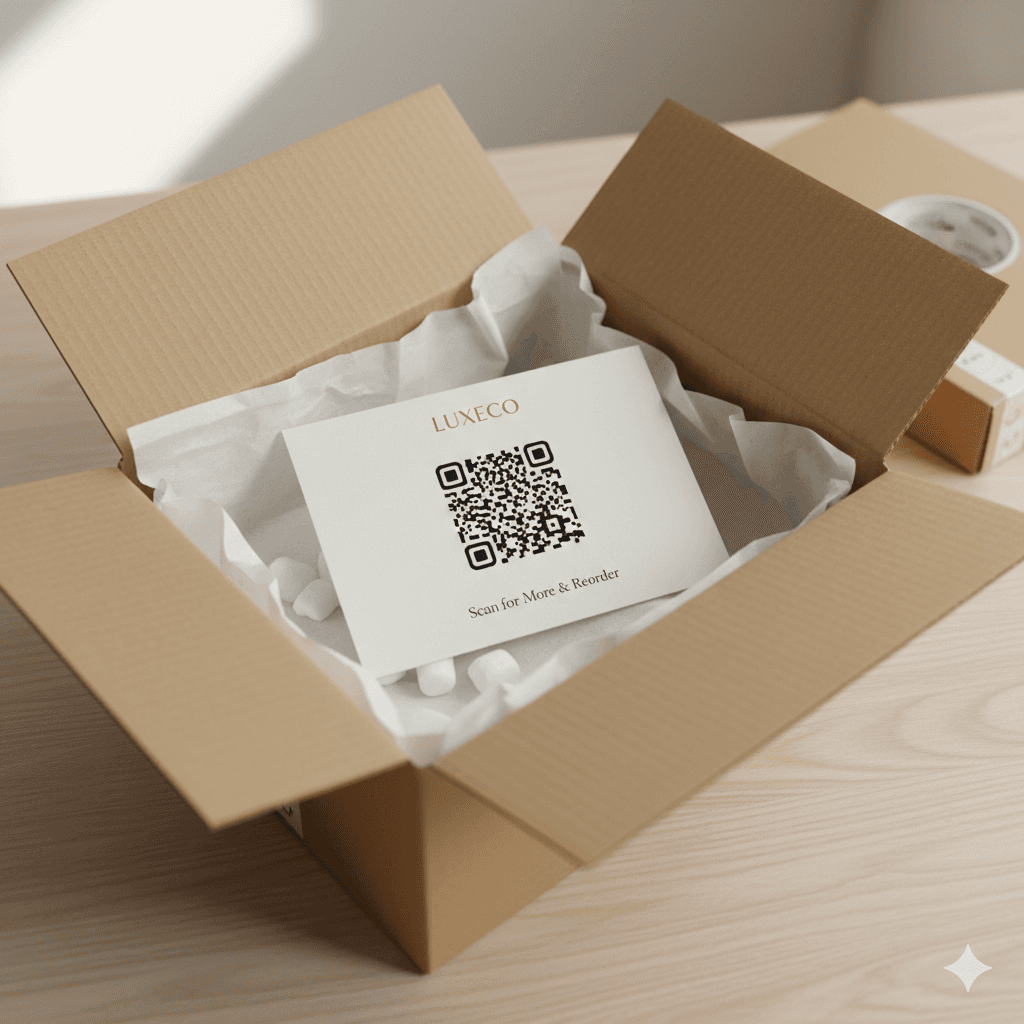
A printed card placed on top of the items inside the box, so it is the first thing the customer sees when they open the package.
Format options:
- Business card size (3.5" x 2") for small parcels
- Postcard size (4" x 6") for larger shipments or subscription boxes
Scan rate: 10-15%
This is the single highest-performing placement for delivery businesses. The card sits right on top. The customer has to physically pick it up to get to their product. That forced interaction is what drives the conversion.
Product Stickers
A small QR sticker applied directly to the product container or inner packaging.
Best for:
- Food containers (on the lid)
- Product boxes (on the opening flap)
- Sealed bags (near the closure)
Scan rate: 7-10%
Bag Tags and Hang Tags
A card attached to the bag handle, stapled to the bag closure, or tied to the product with a string.
Works especially well for:
- Food delivery bags
- Boutique e-commerce orders
- Gift shipments
Scan rate: 8-12%
Placement Strategy by Service Type
Food Delivery:
- Sticker on container lid
- Card clipped to delivery bag
- QR printed on branded receipt
E-Commerce / Online Retail:
- Insert card on top of items (first thing seen)
- Branded sticker on box interior flap
- Thank-you card with QR code
Meal Kits and Subscriptions:
- Recipe card footer with QR
- Welcome card in the first shipment
- Box lid interior sticker
Courier and Shipping Services:
- Branded sticker on outer package
- Delivery confirmation slip with QR
How to Design a High-Converting Insert Card
The insert card is your silent salesperson. It needs to do the work of a friendly store clerk asking for a review, but in print form. Here is what performs best.
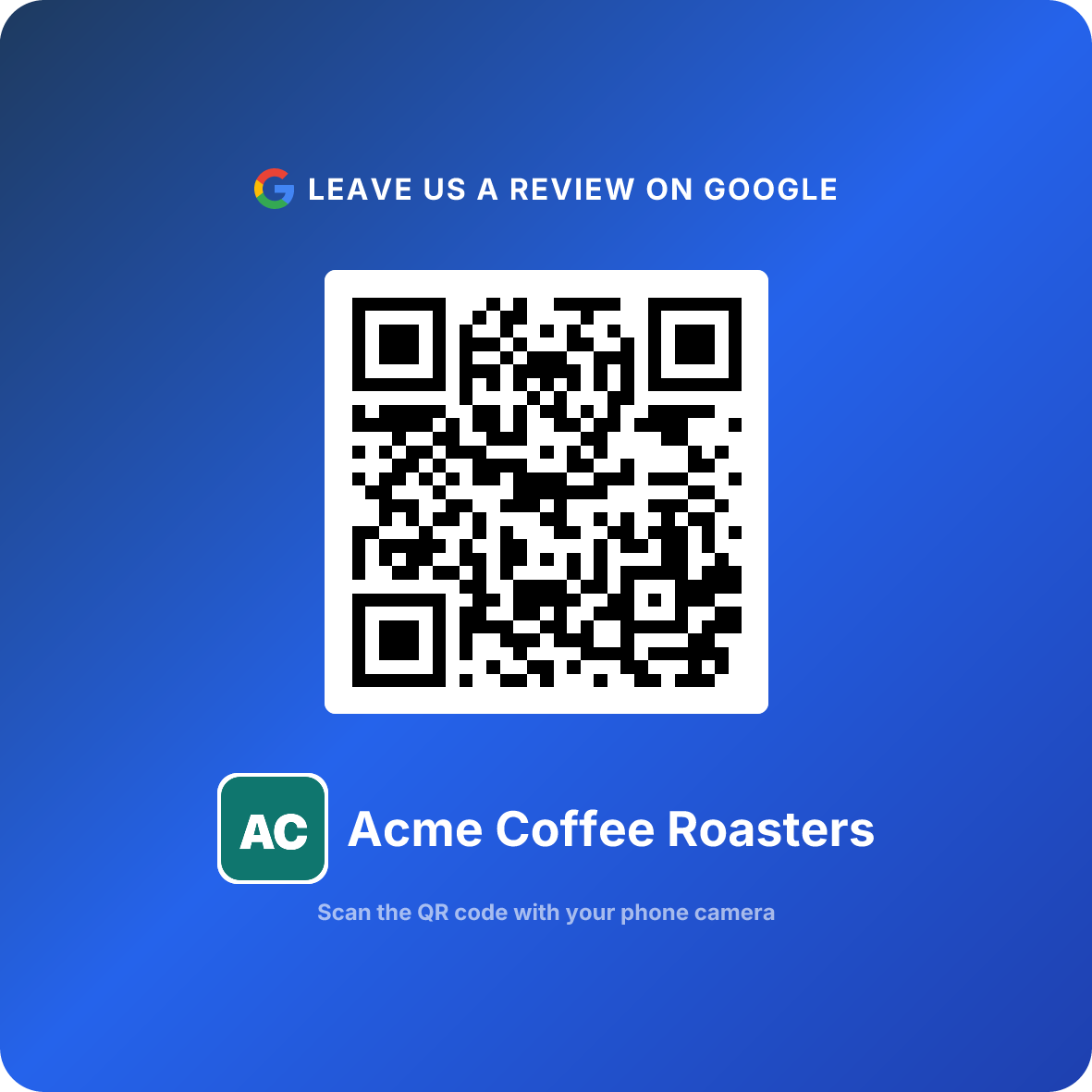
You can create your QR code with our generator in about two minutes. Once you have it, design the card around these elements:
- 1
Lead with a genuine thank-you
Start with 'Thank you for your order' or 'We appreciate your business.' Gratitude first, ask second.
- 2
Add your QR code prominently
Minimum 1 inch by 1 inch. Center it on the card. Make sure there is white space around it for easy scanning.
- 3
Write a clear call-to-action
Something like 'Loved your order? Scan to leave a quick review — it takes 10 seconds.' Be specific about how fast it is.
- 4
Include your brand identity
Logo, brand colors, and a professional finish. This card represents your business. Cheap-looking inserts undermine trust.
Pro formatting tip: Keep the card single-sided if possible. Double-sided cards often get flipped to the wrong side and the QR code goes unseen. If you do use both sides, put the QR code on the side that faces up when the customer opens the box.
Mistakes to Avoid
Even the best QR code strategy fails if you make these common errors. Here are the five packaging and fulfillment mistakes that kill your review collection rate.
Mistake 1: Burying the Insert Under Products
If the card sits at the bottom of the box beneath packing material and products, nobody will ever see it. The insert must be the first thing visible when the box opens. Place it face-up on top of everything else. Your fulfillment team needs to treat the insert as the final step in the packing process, not the first.
Mistake 2: Including Inserts in Problem Orders
Sending a review QR code with an order that shipped late, arrived damaged, or contained the wrong SKU is asking for a one-star review. Train your fulfillment team to flag problem orders and withhold inserts. If a customer contacts support about an issue, pull the insert from any pending reshipment as well.
Mistake 3: Using a Tiny or Low-Contrast QR Code
A QR code smaller than 1 inch, printed in light gray on a white card, or placed on a busy patterned background will not scan reliably. Use high contrast (dark code on light background), keep it at least 1 inch square, and test every print batch under real indoor lighting conditions before shipping.
Mistake 4: Writing Generic Copy
"Scan for a review" is not compelling. It sounds like a demand, not an invitation. Personalize the message: reference the product category, thank them by name if your fulfillment software supports variable printing, and always frame the ask around their experience ("Enjoying your new gear? Tell us about it!") rather than your need ("We need more reviews.").
Mistake 5: Forgetting to Test the QR Code
This sounds obvious, but it happens constantly. A URL changes, a redirect breaks, or the QR code generator settings were wrong. Before printing a batch of 5,000 insert cards, scan the proof with three different phones under normal lighting. Confirm it lands directly on your Google review form. One broken link means thousands of wasted impressions.
Do This
- ✓Place the insert card on top of all items in the box
- ✓Use high-contrast, minimum 1-inch QR codes
- ✓Test every print batch before shipping
- ✓Include inserts only in orders you are confident about
- ✓Train packing staff on correct insert placement
Avoid This
- ✕Bury the card under packing material
- ✕Include inserts in problem or late orders
- ✕Use tiny or low-contrast QR codes
- ✕Write generic 'scan for review' copy
- ✕Skip testing before a large print run
Pro Tips from Delivery Operators
These tips come from delivery and e-commerce operators who have been running QR code insert programs for six months or more.
Rotate your card designs quarterly. Repeat customers who see the same insert card in every order start ignoring it. A fresh design with updated copy re-engages them. Some operators use seasonal designs — a holiday thank-you card in December, a spring refresh in March — to keep the insert feeling intentional rather than automated.
Track scan rates by SKU or product category. If you sell multiple product lines, you may find that certain categories generate significantly higher review rates. A fragrance subscription box might convert at 14% while a commodity household product converts at 6%. Allocate your highest-quality insert cards to the high-converting categories and adjust messaging for the others.
Use the insert to increase AOV alongside the review ask. A well-designed postcard-sized insert can include both a QR code for the review and a separate discount code for the next order. Keep these visually distinct — the review request on top, the discount code below — so the customer does not confuse them. This turns a single touchpoint into both a reputation builder and a retention tool.
Add the insert to your packing SOP. The insert card should be a line item on your packing checklist, not an afterthought. When it is formalized in the standard operating procedure, compliance goes from sporadic to consistent. Some fulfillment centers even add a dedicated insert station on the packing line.
Coordinate inserts with your post-delivery email. If you send a shipping confirmation or delivery follow-up email, reference the insert: "You will find a thank-you card in your package — we would love to hear about your experience." This double-touch approach consistently outperforms either channel alone.
Insider metric: Delivery operators who combine a physical insert card with a follow-up email see scan rates 30-40% higher than those using inserts alone. The email reminds the customer about the card they already saw in the box.
Case Study: SwiftBox E-Commerce Fulfillment
SwiftBox is a mid-size direct-to-consumer brand based in Denver, Colorado, selling outdoor and camping gear through their Shopify store. They ship roughly 2,800 orders per month.
Before QR inserts: SwiftBox had 34 Google reviews after two years of operation. Their rating was 4.1 stars, pulled down by a handful of unresolved negative reviews. New customer acquisition relied almost entirely on paid ads.
What they did: SwiftBox created a QR code using our generator and designed a 4x6 postcard insert with their brand colors, a thank-you message, the QR code, and a separate (non-conditional) 10% discount code for the next order. They trained their three-person packing team to place the card face-up on top of every order. They excluded inserts from any order flagged by customer service.
After 90 days:
- Google reviews went from 34 to 119 (a 250% increase)
- Average rating climbed from 4.1 to 4.5 stars
- Organic search traffic to their Google Business Profile increased 38%
- The discount code on the insert generated a 7.2% repeat purchase rate
- Customer acquisition cost dropped 15% as organic visibility improved
"We spent two years barely getting any reviews. Three months with a simple insert card and we tripled our review count. The QR code did the work — we just had to put it in front of people at the right moment."
— Operations Manager, SwiftBox, Denver CO
When Customers Actually Scan
Understanding when customers scan your QR code helps you optimize the insert design, the messaging, and even the timing of your follow-up email.
Peak scanning windows:
- Within 5 minutes of opening: 30% of all scans. This is the unboxing moment. The insert is right there, the product is in their hands, satisfaction is high.
- While using the product for the first time: 40% of scans. They set the card aside, use the product, are happy with it, and then scan. This is actually the best scenario because the review includes genuine product feedback.
- That same evening: 20% of scans. They come back to it after dinner, remember the card, and scan.
- Next day or later: 10% of scans. Diminishing returns, but still conversions.
Key insight: Over 70% of scans happen within the first few hours. Your insert card needs to be visible immediately at the unboxing moment and compelling enough that the 40% who wait still remember to come back to it.
Handling Negative Reviews
When you make it easy to review, some of those reviews will be negative. That is not a problem — it is a feature.
Why negative reviews actually help:
- A business with all five-star reviews looks fake. A mix of ratings looks authentic.
- Responding well to negative reviews demonstrates customer service quality.
- Negative feedback identifies real operational problems you can fix.
When a negative review comes in:
- Respond within 24 hours. Speed matters.
- Acknowledge the specific issue. Do not use a generic template.
- Apologize sincerely. No "sorry if you felt that way" — own it.
- Offer a concrete resolution publicly. Replacement, refund, credit.
- Take the conversation offline. "Please email us at support@yourbusiness.com so we can make this right."
Critical for food delivery: Only roll out QR inserts after your packaging quality is solid. If meals arrive cold, containers leak, or items are missing, a QR code will accelerate negative reviews rather than positive ones. Fix your last-mile fulfillment first, then add the review ask.
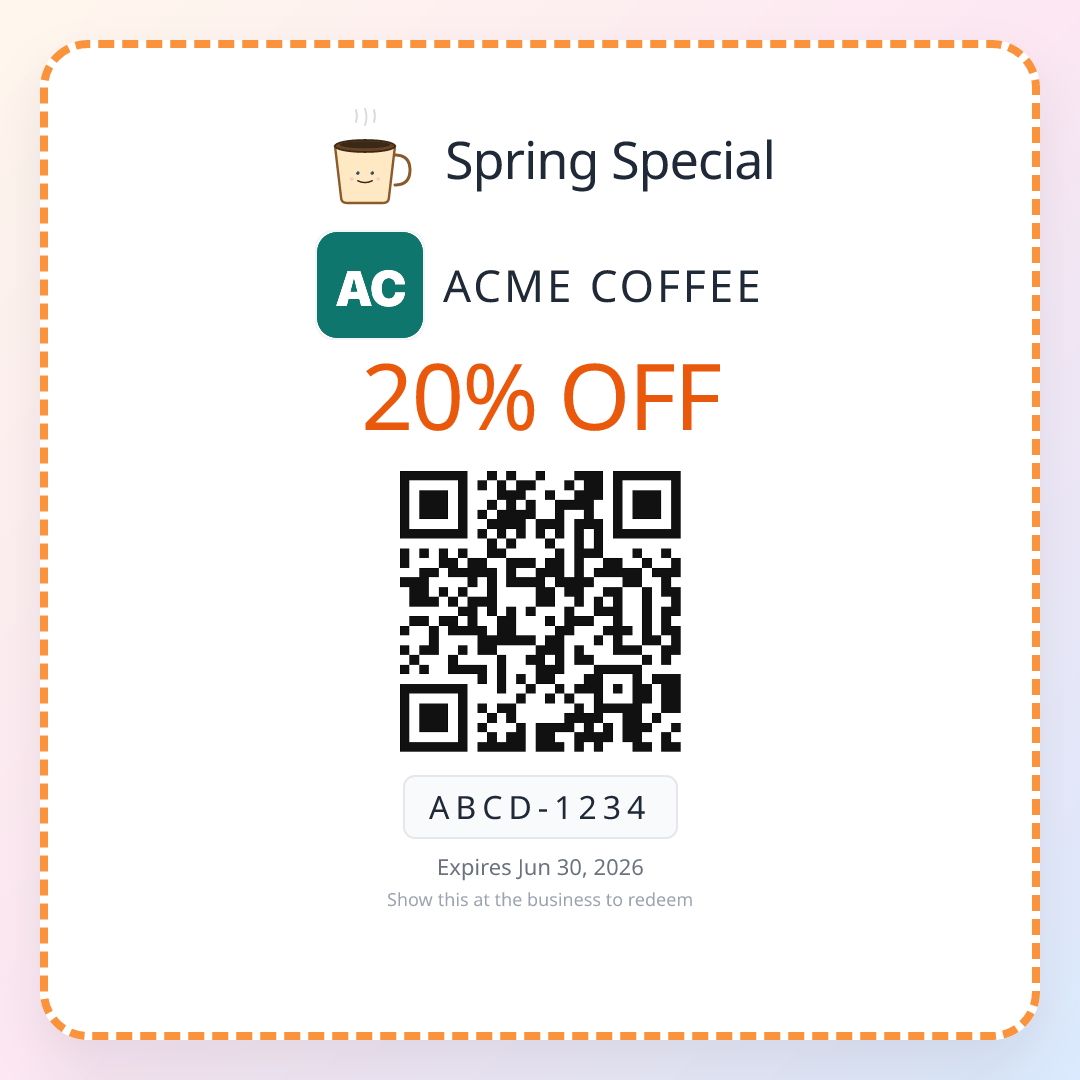
Once your insert is already collecting reviews, the same card is the perfect place to drive a second order — add a single-use QR coupon to your packaging and turn one delighted unboxing into a repeat customer.
Frequently Asked Questions
Q: Will adding a QR code to my packages increase negative reviews?
A: Only if you have existing fulfillment or product quality issues. The data shows that the average rating collected through packaging inserts is 4.4 out of 5 stars. Satisfied customers are more likely to scan and review. Fix any operational problems before rolling out QR inserts.
Q: Should I include a QR code in every delivery or be selective?
A: Start selective. Include inserts in orders you are confident about — correct items, on-time delivery, solid packaging. Once your process is reliable, expand to all shipments. Many operators begin with repeat customers or high-value orders and scale from there.
Q: Can I offer a discount or coupon in exchange for a Google review?
A: No. Google prohibits incentivizing reviews. You can include a discount code on the same card for a future purchase, but it must not be conditional on leaving a review. Keep the review request and any promotional offer clearly separate.
Q: What size should the QR code be on a packaging insert?
A: The QR code should be at minimum 1 inch by 1 inch. For business-card-sized inserts, 1.2 inches works well. For postcard inserts, go up to 1.5 or 2 inches. Always test scanning under indoor lighting before printing a full batch.
Q: How do I handle negative reviews that come through QR scans?
A: Respond within 24 hours. Acknowledge the issue, apologize sincerely, and offer a resolution publicly. Then take the conversation offline with a direct email or phone number. Well-handled negative reviews actually build trust with prospective customers.
Q: Does this work for third-party marketplace sellers using Amazon FBA or similar fulfillment?
A: It depends on the platform. Amazon prohibits inserts directing customers to leave reviews outside Amazon. If you also sell through your own store or other platforms that allow inserts, those shipments are fair game. Always check your fulfillment partner's insert policies first.
Keep reading
How Jewelry Shops Can Get More Google Reviews with QR Codes
Collect more Google reviews for your jewelry store with QR codes. Covers ring box inserts, display case placements, and seasonal strategies.
Retail & ShopsFlorist Google Reviews: 25-40 per Valentine's Weekend
How flower shops collect 25-40 Google reviews per Valentine's or Mother's Day weekend using QR codes on bouquet tags and delivery cards. QR generator + playbook.
Restaurants & FoodRestaurant Google Reviews: 40-60 New in 90 Days (QR)
How restaurants collect 40-60 Google reviews in 90 days with table-tent QR codes. Real placement data, server scripts, conversion rates by placement, and what to avoid.