Restaurant Google Reviews: 40-60 New in 90 Days (QR)
How restaurants collect 40-60 Google reviews in 90 days with table-tent QR codes. Real placement data, server scripts, conversion rates by placement, and what to avoid.
How to Get More Google Reviews for Your Restaurant with QR Codes
It's 8 PM on a Saturday night. Your dining room is packed, plates are flying out of the kitchen, and the FOH team is running a flawless service. Table 12 just told their server the braised short rib was the best thing they've eaten all year. Table 7 is celebrating an anniversary and can't stop raving about the tasting menu. These are the moments that make this industry worth it -- and every single one of them walks out the door without leaving a Google review.
That changes today. A simple QR code, placed at the right spot and the right time, turns those genuine moments of satisfaction into permanent five-star reviews that bring new covers through your door for months to come.
Why Reviews Matter for Restaurants
The restaurant industry runs on reputation. Before a single guest walks through your door, they've already decided whether you're worth their time based on what they read online.
A restaurant sitting at 4.2 stars with 47 reviews looks fundamentally different from the same restaurant at 4.6 stars with 280 reviews. The second version fills more covers on a Tuesday night, gets more reservation requests, and ranks higher in local search results when someone types "best Italian near me."
Unlike salons and spas, where clients interact one-on-one with a stylist, restaurants serve dozens or hundreds of guests per service. That volume is your advantage -- if you can convert even a small percentage of happy diners into reviewers, the numbers compound fast.
Why QR Codes Outperform Verbal Asks
Every restaurant owner has tried the verbal approach. A server drops the check and says, "If you enjoyed your meal, we'd love a review on Google." The guest nods, means it, and forgets by the time they reach the parking lot.
The data tells the story: verbal asks convert at roughly 10-15%. QR codes placed strategically convert at 8-12% on every table, every service, without requiring your staff to say a word. That passive consistency is what makes the difference over weeks and months.
QR codes solve three problems at once:
- No friction. Guests don't need to search for your business name, navigate to Google Maps, or remember to do it later. One scan, and they're on your review page.
- No staff burden. Your servers are managing ticket times, running food, and turning tables. Asking them to pitch reviews on top of everything else is unrealistic during a busy service.
- No awkwardness. A table tent or check presenter insert is a quiet invitation, not a sales pitch. Guests who want to review will scan. Those who don't will ignore it. No pressure on either side.
Best QR Code Placements for Restaurants
Check Presenters (Highest Conversion)
Slip a small card into the check presenter alongside the receipt. This is the single highest-converting placement for restaurants because the timing is perfect -- the meal is over, the guest is satisfied, and they're already sitting with nothing to do while the payment processes.
Conversion rate: 8-12%
Table Tents
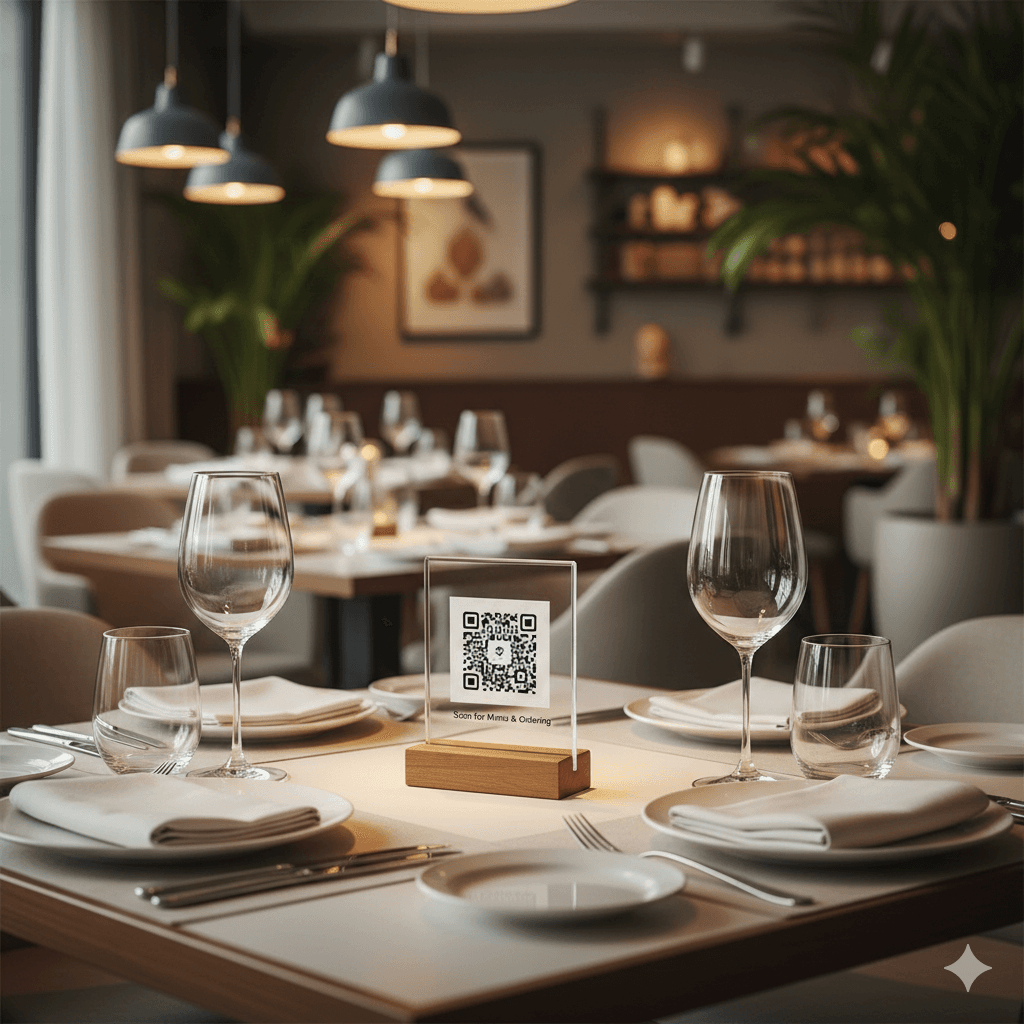
A small, well-designed table tent with your QR code placed on every table. Keep the design clean -- your logo, a short line like "Enjoyed your meal? Scan to let us know," and the QR code. Nothing else.
Why it works: Guests notice it throughout the meal. Many scan during natural pauses -- waiting for courses, after dessert, or while a companion visits the restroom.
Receipts (POS Integration)
Most modern POS systems let you add a QR code or short URL to the bottom of printed receipts. This works as a secondary touchpoint. The guest has already seen the table tent or check presenter card, and now the receipt reinforces the ask.
Takeout and Delivery Packaging
If your restaurant does significant takeout volume, a card or sticker inside the bag is essential. This is an entirely different context from dine-in, and we cover it in depth in our delivery services guide. The key insight: takeout guests don't have the ambient dining experience to trigger a review, so the packaging insert does that job.
Only include QR codes with takeout and delivery orders when you're confident in packaging quality. Leaky containers or cold food paired with a review prompt is a recipe for one-star ratings.
Timing: When to Ask and When to Back Off
Timing matters more in restaurants than almost any other business. The emotional arc of a dining experience has clear peaks and valleys, and you want to catch guests at the peak.
Timing Strategy for Restaurants
Do This
- ✓After a guest compliments the food or experience
- ✓During the check/payment window (natural pause)
- ✓After special occasions: birthdays, anniversaries, proposals
- ✓When a regular diner tries a new menu item and loves it
- ✓During slower dayparts when servers can be more attentive
Avoid This
- ✕After any service recovery or comped item
- ✕During a slammed Friday night when guests waited 20 minutes for a table
- ✕Before the entrees have arrived
- ✕When the kitchen is backed up and ticket times are long
- ✕Immediately after handling a complaint, even if it was resolved
The golden rule: let the QR code be passive, and let your staff be selective. The table tent or check presenter card is always there, quietly available. Your FOH team only needs to verbally mention it when a guest is visibly delighted.
Setup Guide: From Generator to Guest Tables
Getting your restaurant's review QR code live takes less time than a mid-service menu change.
Implementation Steps
- 1
Generate your QR code
Use the ReviewQR generator to create a QR code linked to your Google review page. Takes under 2 minutes.
- 2
Design your print materials
Table tents (4" x 6"), check presenter inserts (3.5" x 2"), or receipt integration through your POS. Keep the design on-brand and minimal.
- 3
Brief your FOH team
A 5-minute pre-shift meeting is all you need. Explain the placement, when to mention it (only after genuine compliments), and that the QR code does the heavy lifting.
- 4
Deploy and track
Place materials during setup before service. Check your Google Business Profile weekly to monitor new review volume and ratings.
You can create your QR code on our generator page right now and have printed materials ready before your next dinner service.
Case Study: The Olive Press, Portland OR
The Olive Press is a 72-seat Mediterranean restaurant in Portland's Pearl District. Before implementing QR codes, they had 63 Google reviews and a 4.3-star rating -- solid, but not enough to stand out in a neighborhood packed with dining options.
What they did:
- Placed a small branded card in every check presenter with a QR code generated through ReviewQR's tool
- Added a subtle table tent to the bar area and patio tables
- Briefed their FOH team during a Monday pre-shift: "If a guest says something positive about the food, point to the card and say 'We'd love if you shared that on Google.'"
Results after 90 days:
The GM noted that their most effective placement was the check presenter, not the table tent. "Guests scan it while they're waiting for the card to come back. It's a dead moment in the meal, and the QR code gives them something to do that benefits us."
Strategies by Restaurant Type
Different concepts require different approaches. What works for a fast-casual counter-service spot won't work for a white-tablecloth tasting menu.
Fine Dining: Subtlety is everything. A discreet card tucked into the check presenter is the only appropriate placement. No table tents, no signage. The experience speaks for itself -- you just need to make leaving a review effortless.
Casual Dining: Table tents on every table, plus a check presenter card. This is the sweet spot for QR code reviews because volume is high and guests are relaxed.
Fast Casual / Counter Service: A small sign at the pickup counter or a sticker on the tray liner. Guests in a fast-casual environment won't linger, so the prompt needs to be visible and immediate.
Coffee Shops & Cafes: Counter display near the register, plus a small card on each table. Cup sleeves with a QR code are creative but have lower conversion rates.
Bars & Breweries: Coasters are underrated. A branded coaster with a QR code on the back gets picked up and flipped constantly. Bathroom mirror decals are another strong option.
Food Trucks: Space is limited. A sticker on the ordering window and a card handed out with every order. Keep it simple.
Mistakes to Avoid
After working with hundreds of restaurants on their review strategy, these are the five mistakes we see most often.
1. Incentivizing reviews with discounts or freebies. This violates Google's review policy and can get your reviews flagged or removed. No "leave a review for 10% off your next visit." No free appetizer for a five-star rating. Ever.
2. Asking after a service recovery. Your BOH sent out a steak medium-well instead of medium-rare. The server caught it, apologized, fired a new one, and maybe comped dessert. The guest is satisfied with the recovery. This is not the time to ask for a review. The memory of the mistake is still fresh, and even a happy resolution can translate into a four-star review that mentions the error.
3. Plastering QR codes on every surface. One or two well-placed QR codes per table is enough. When guests see them on the menu, the table tent, the napkin holder, the wall, and the receipt, it feels desperate. Choose your highest-converting placements and commit to those.
4. Neglecting your Google Business Profile. Driving reviews to a profile with outdated hours, wrong phone number, or missing menu photos undermines the effort. Before you deploy a single QR code, make sure your Google Business Profile is complete and accurate.
5. Ignoring the reviews that come in. Collecting reviews is only half the equation. Responding to reviews -- especially detailed or negative ones -- signals to both Google's algorithm and prospective diners that you're an engaged, attentive operator. Set aside 10 minutes twice a week to respond.
Pro Tips from Restaurant Owners
These insights come from operators who have been running QR-based review strategies for six months or more.
Insider Advice
-
"We rotate table tent designs seasonally." A fresh look prevents the QR code from becoming invisible wallpaper. When the table tent changes, guests notice it again.
-
"Our highest conversion day is Sunday brunch." Guests at brunch are more relaxed, more likely to linger over coffee, and more likely to scan. If you have to prioritize one service, prioritize the one where guests aren't rushing.
-
"We track reviews by daypart." By noting when reviews come in relative to service times, you can identify which shifts and which servers are naturally generating the most reviews. That data informs training.
-
"The bartender is our secret weapon." Bar guests are on their phones already. A branded coaster and a casual mention from the bartender converts at nearly double the rate of dining room table tents.
-
"We print the QR code on a magnetic card and stick it to the check presenter." No loose inserts to lose or replace. The card stays put through hundreds of services and still looks clean.
Expected Results
Based on data from over 1,000 restaurants using QR code review strategies:
Restaurants averaging more than 150 covers per day often exceed these numbers significantly. The math is straightforward: more guests seeing the QR code equals more reviews. Consistency is the key variable. The restaurants that see the best results are the ones that keep the QR codes in place every single service without exception.
Once you're capturing those five-star moments, the natural next step is bringing those happy diners back through the door — turn one-time guests into regulars with QR coupons on the same table tents and check presenters that collect your reviews.
Frequently Asked Questions
Is asking for Google reviews with a QR code against Google's policy?
No. Google encourages businesses to remind customers to leave reviews. What you cannot do is offer incentives like discounts, free desserts, or loyalty points in exchange for reviews. A QR code that links directly to your Google review page is completely compliant.
What if QR codes lead to more negative reviews?
In practice, restaurants that use QR codes see their average rating increase, not decrease. Happy diners who would never have bothered to review now have an easy way to do so. The influx of positive reviews far outweighs the occasional negative one. If you do receive a negative review, respond professionally within 24 hours and offer to make it right.
Where is the single best place to put a review QR code in a restaurant?
Check presenters consistently outperform all other placements, with conversion rates of 8-12%. Guests see the QR code right at the moment of highest satisfaction -- after they've finished their meal and before they leave.
Should servers verbally ask every table for a review?
No. The best approach is to let the QR code do the passive work. Train your FOH team to mention reviews only when a guest gives a genuine compliment, like saying the food was amazing. Asking every table feels scripted and can make guests uncomfortable.
Do QR codes work for older guests who aren't tech-savvy?
Yes. Every modern smartphone camera can scan a QR code natively without downloading an app. In our experience, guests over 55 actually appreciate the simplicity compared to being asked to search for a business on Google manually.
How many new Google reviews can a restaurant expect in the first 90 days?
Based on data from over 1,000 restaurants, the typical range is 40 to 60 new reviews in the first three months. Restaurants averaging 150+ covers per day often exceed 80 new reviews in that same period, especially when QR codes are placed in check presenters and on table tents.
Keep reading
QR Code Coupons for Boba Shops: Win the Second Sip Before the Chain App Does
How indie bubble tea shops use single-use QR coupons to beat chain rewards apps at the first-visit-to-second-visit cliff. Concept, math, three plays, placement geometry, and a 6-minute setup.
Restaurants & FoodHow to Get Repeat Restaurant Customers with QR Coupons
Bringing a diner back costs a fraction of finding a new one. Here's how restaurants use single-use QR coupons to drive repeat visits and grow sales.
Restaurants & FoodQR Code Coupons for Restaurants: Fill Slow Shifts and Bring Diners Back
How restaurants use single-use QR code coupons to fill Tuesday lunches, launch new menus, win back lapsed regulars, and protect peak-hour margin.