Your Customer Comeback System
Bring customers back with single-use QR coupons.
Get more Google reviews along the way.
Two steps, in this order: the coupon brings them back, and the review QR catches the 5-star on the way out. Spin up a campaign in 2 minutes: pick the discount, pick a mascot, print or share.Try everything free for 14 days.Card required, cancel anytime.
No account needed to design it. You sign in when you want your coupons.
Only need 25 coupons? Buy 25. Pay once, from $3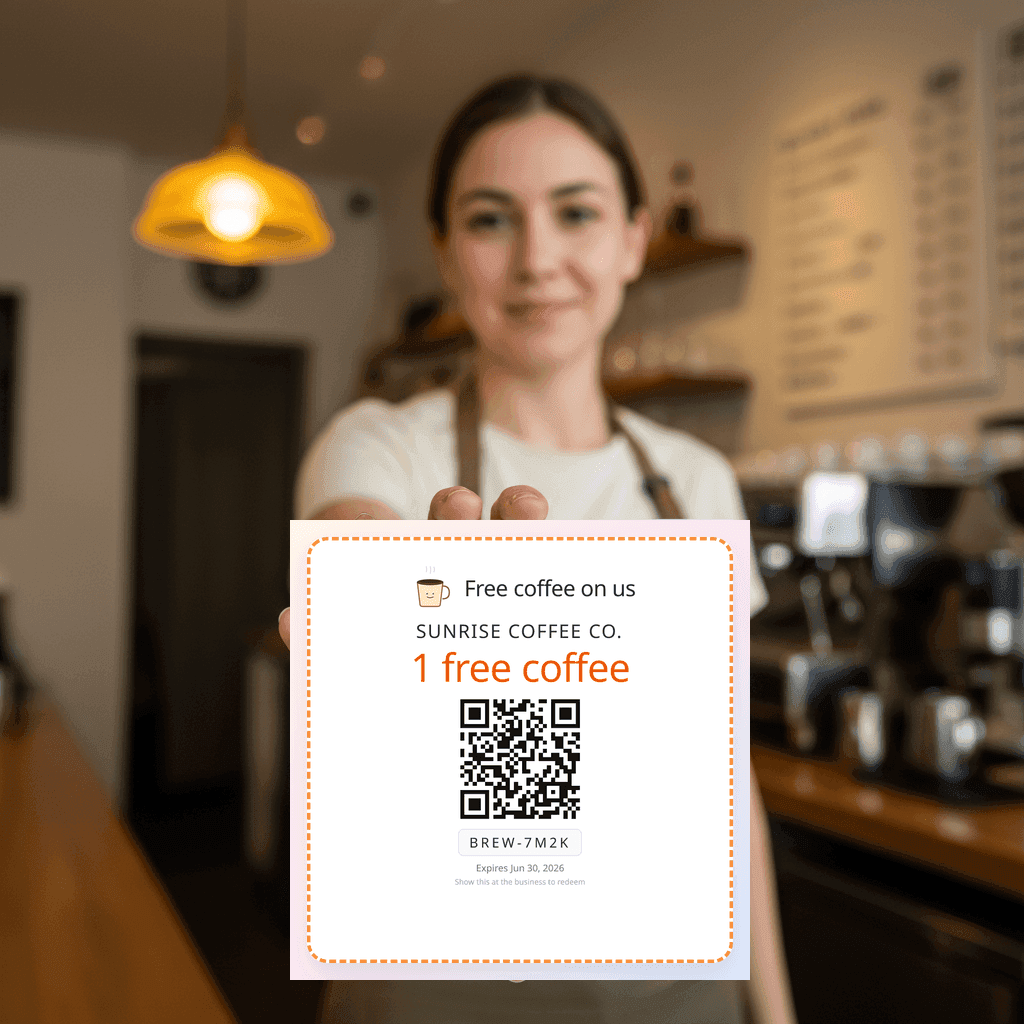
Pay for what you need
Generate exactly the coupons your campaign needs. Pay just for those.
One campaign this month? Buy a pack, no subscription. Campaigns every month? A plan refills your coupons and adds the Google review QR. Same coupons either way.
One-time pack
Any amount from 25 to 500 coupons, $0.12 each. From $3, paid once.
- Pay once. No card on file, nothing renews.
- Unused coupons never expire; they wait for your next campaign.
- Coupons only: the review QR and analytics come with a plan.
$0.12 per coupon. Paid once, nothing renews.
Monthly plan
Essentials $10/mo or Growth $25/mo. Coupons refill every month.
- 100 or 500 coupons every month
- Google review QR code + scan analytics
- 14-day free trial, cancel anytime
Card required, cancel anytime. Compare plans
Not sure which? One campaign: pack. Every month: plan. You can start with a pack and switch to a plan later; the coupons you bought stay yours.
Step 1 · The coupon brings them back
More repeat visits. More reviews. More revenue.
Print, email, or WhatsApp single-use QR coupons. Customers redeem in person, and after the discount you ask for the review. Try it free for 14 days.
Bring customers back
A single-use coupon gives people a real reason to walk back in this week. Slow Tuesdays get busier; one-time customers turn into regulars.
More sales per visit
People who redeem a discount almost always buy something on top — and you see exactly which campaign drove which revenue.
Turn discounts into 5-star reviews
After redemption, you politely ask for the Google review. Customers in a good mood after a discount say yes — your rating compounds in the background.
Setup in minutes, not days
Pick the discount, pick a mascot, hit generate. No designer, no print shop middleman. You're handing out coupons the same afternoon.
What you get
This is the coupon system, as it looks inside your account
Real screens from a real campaign. Design, print or send, redeem at the counter, and watch the numbers come in.
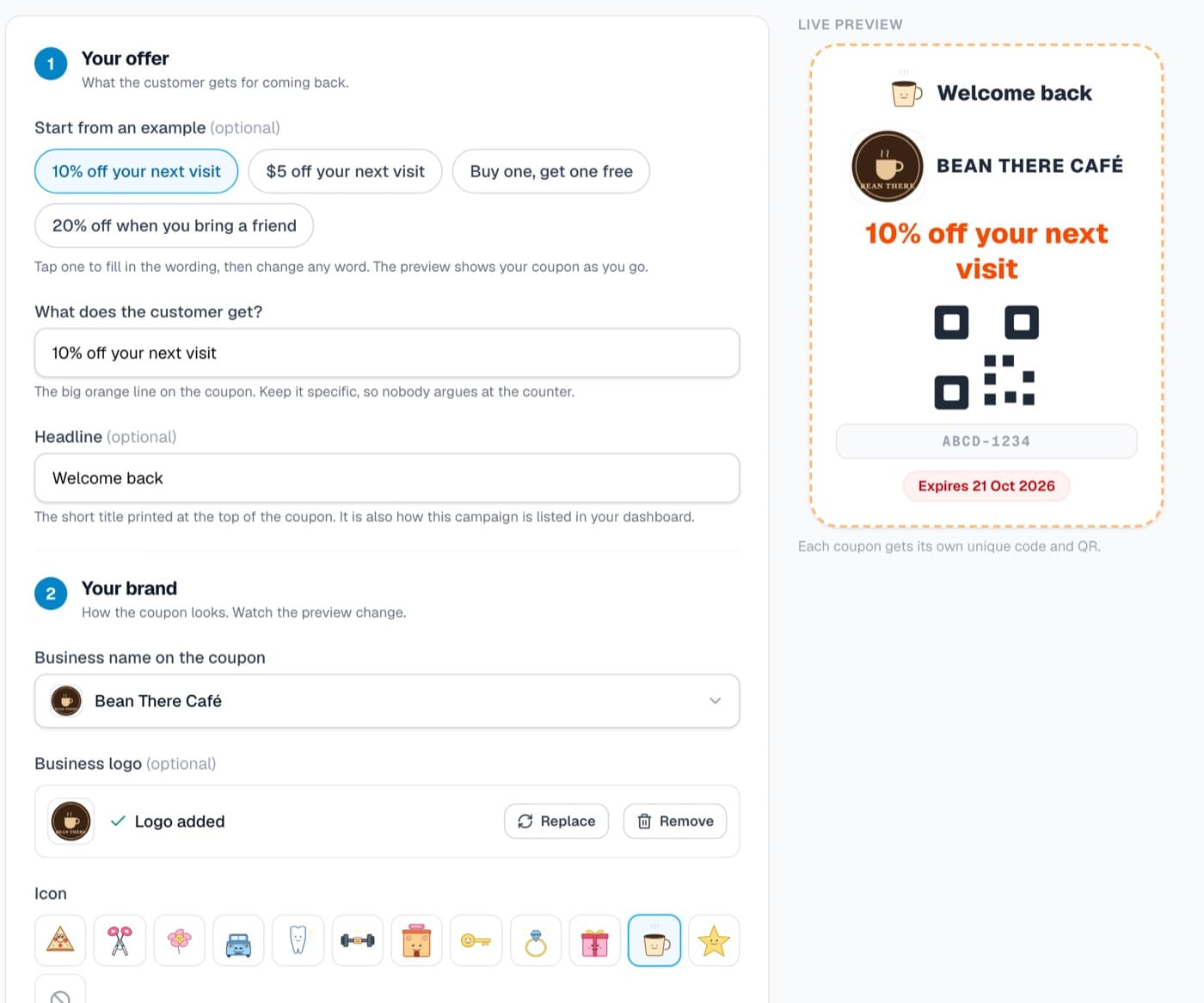 1
1Design it in 2 minutes
Type the offer, add your logo, pick a mascot. The preview updates as you go. No designer needed.
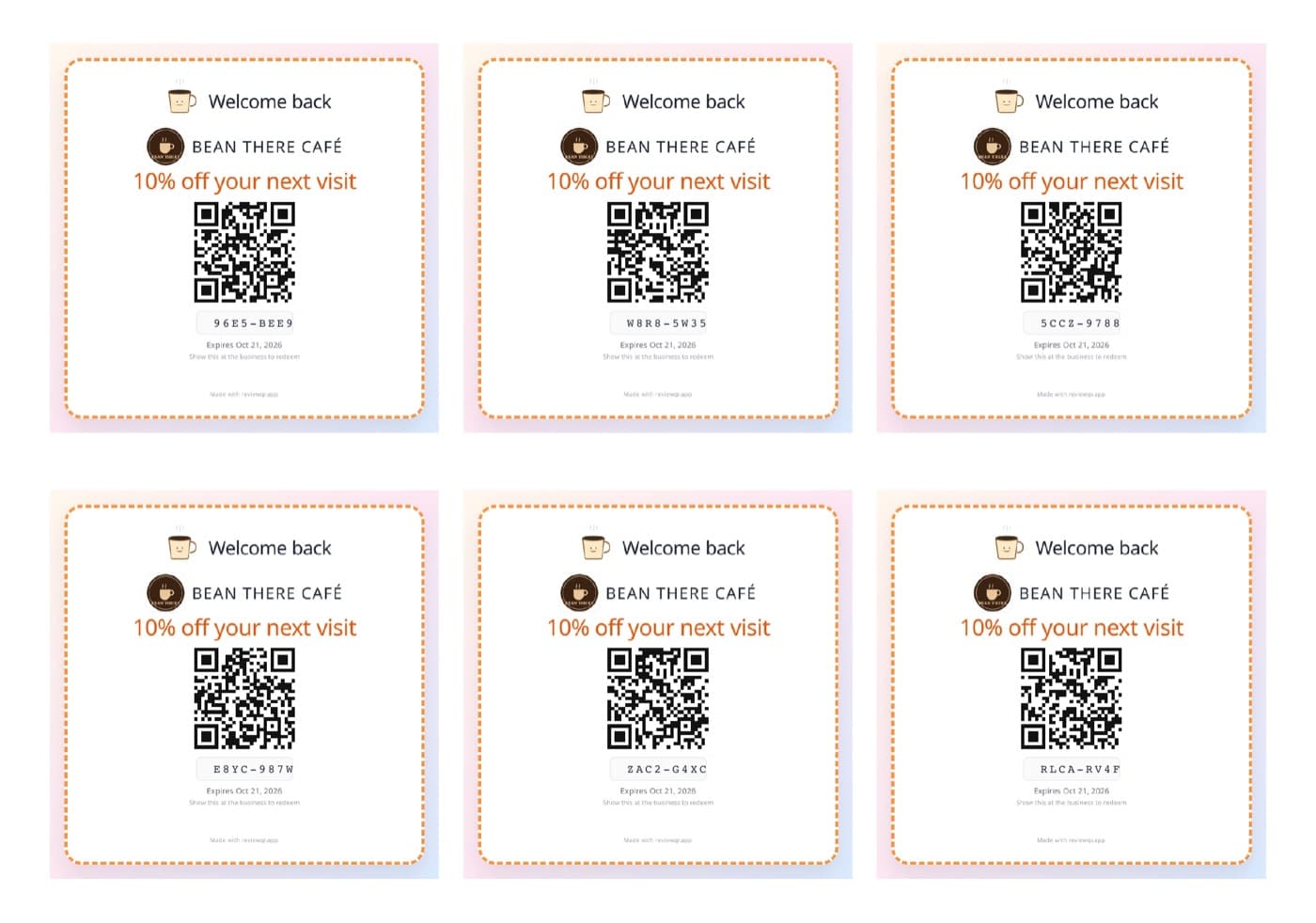 2
2Print the sticker sheet
One PDF, every coupon with its own QR and code. Print at any shop and hand them out at the counter.
 3
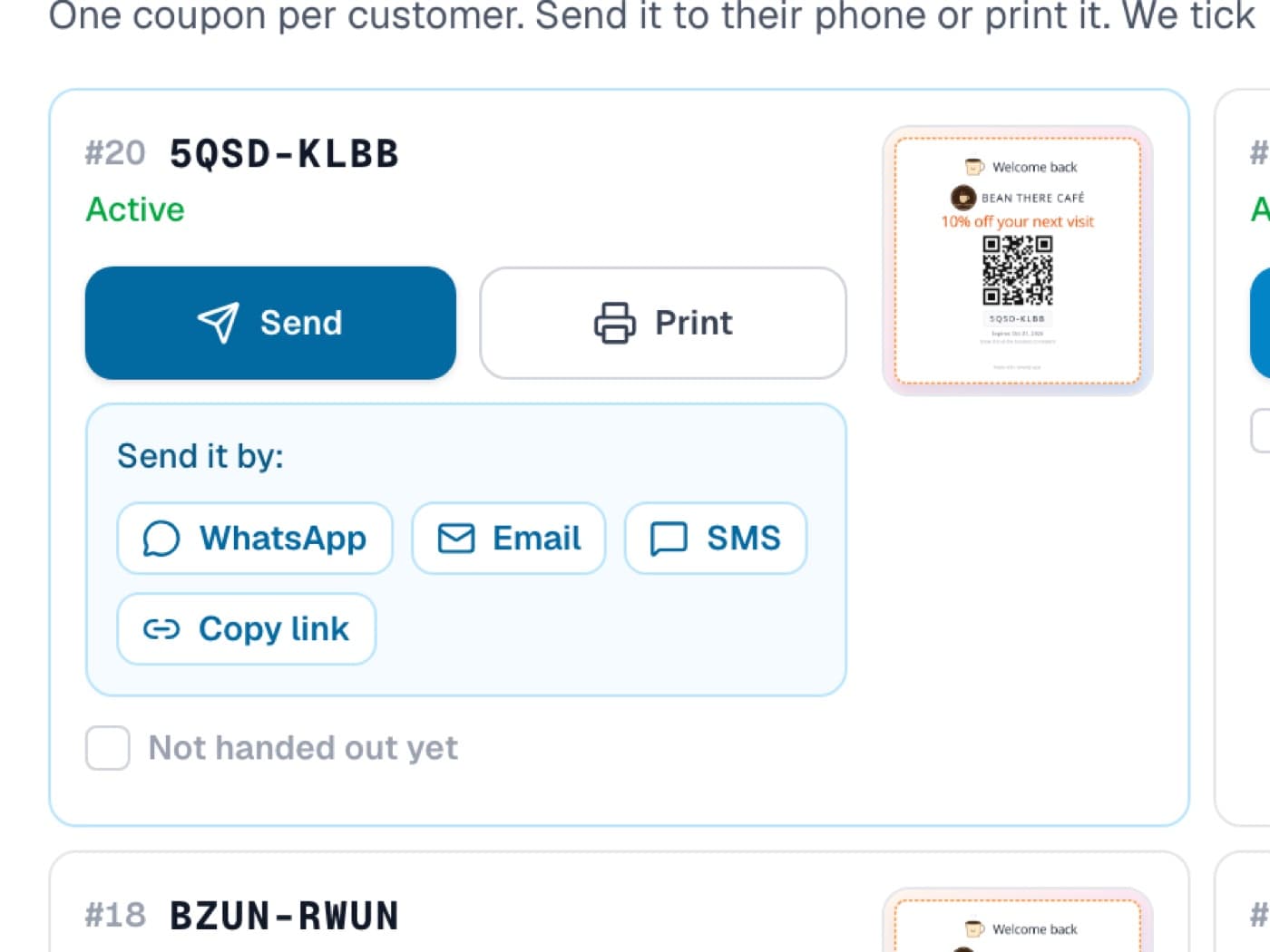
3Or send it to their phone
WhatsApp, email, SMS or a link. The customer saves the coupon to their phone and shows it at the counter.
 4
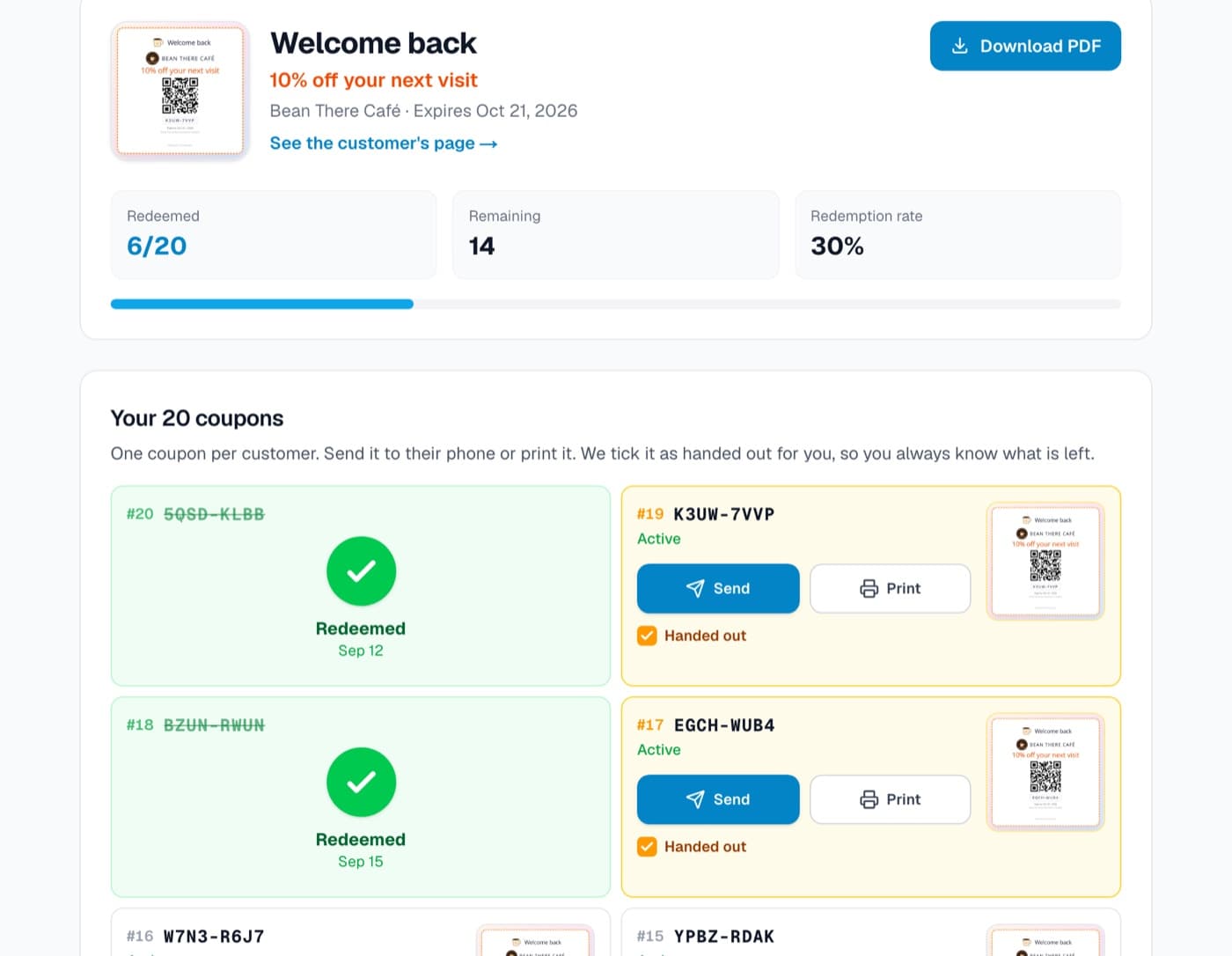
4See who came back
Each coupon is single-use: one scan at the counter and it is spent. Your campaign page shows exactly how many came back.
Swipe to see all four
Step 2 · Included in every plan
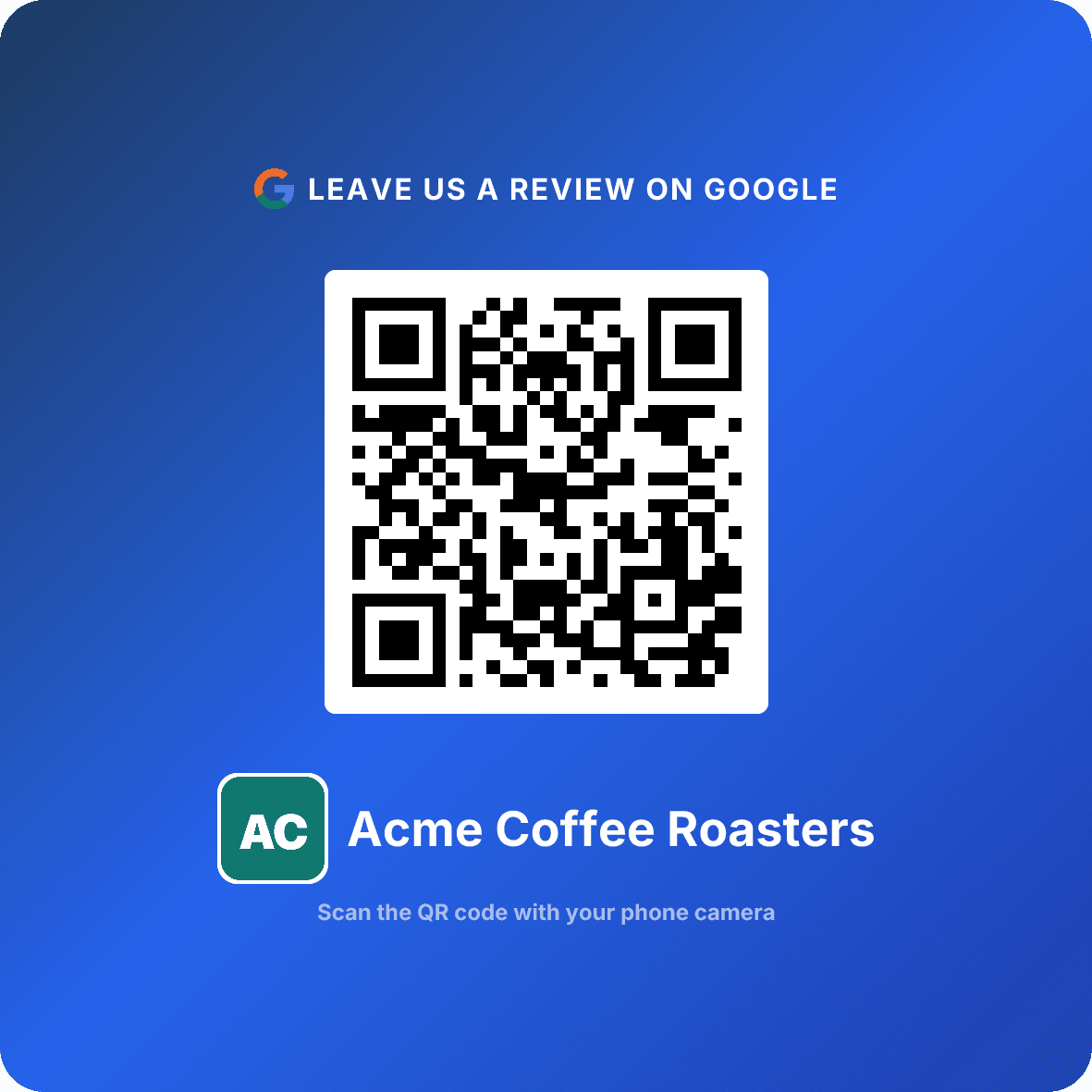
The Google review QR that catches the 5-star on the way out
A print-ready card for the counter. The visit your coupon earned turns into a review, and you see every scan in the dashboard.
See the review QRReal results
Real growth from real businesses
Trusted by 372+ businesses across 42+ countries
+0.7★
Rating jump
Car wash, Belgium
4.0 → 4.7 ★
529
Reviews collected
Gas station, Greece
3.3 → 3.6 ★
77%
Scan-to-review
Hotel, India
3.9 → 4.2 ★
Real data from active ReviewQR users. Business names hidden for privacy.
Simple pricing
14 days free, then pick your size.
Every plan includes the full Customer Comeback System: single-use coupon campaigns, the Google review QR code, your logo on every sticker, and scan analytics. Both start with a 14-day free trial. Card required, cancel anytime.
Essentials
Bring customers back with QR coupon campaigns.
$10/ month
- Google review QR codes for every location, they never expire
- 100 single-use QR coupons every month
- Your logo on every coupon sticker and review card
- Live coupon redemption tracking
- Scan tracking, daily trends & conversion rate
- Weekly email digest & new-review alerts
14-day free trial · card required · cancel anytime
Growth
For busy shops running coupons at volume.
$25/ month
- Everything in Essentials, plus:
- 500 single-use QR coupons every month
- White label: no ReviewQR watermark on your coupons
- Coupon API to validate and redeem from your own app or POS
- Priority email support
14-day free trial · card required · cancel anytime
Not sure which plan fits your business? Talk to Radu, the founder, for 15 minutes. Calls are in English.
Pro dashboard
See what your QR codes and coupons are driving.
Track every scan, your Google rating over time, and which coupons bring customers back.
Pro Dashboard
Acme Coffee Roasters
312
Last 30 days
5.0
↑ +0.4
+12
since QR created
Daily scan trends
Last 4 weeks
Cancel anytime · Full scan analytics + 100 coupons every month
How it works
Your Customer Comeback System in 4 steps. The coupon does the bringing back, the review QR does the collecting, and they are meant to run in that order.
Design your coupon
Sign in, pick the discount and a mascot, and watch the live preview. Nothing to pay to build it.
Start your trial and get them
Pick Essentials or Growth and your 14-day free trial begins. We create the campaign you just designed, print-ready. Card required, cancel anytime.
Hand them out and redeem
Print a sheet, hand them over at the counter, or send via WhatsApp. Each coupon is single-use: you scan the QR to redeem in seconds.
The review QR catches the review
They walked back in and got their discount, so this is the moment they say yes. Your review QR sits where they pay and turns the visit into a 5-star review. Essentials includes 100 coupons a month from $10/mo.
Frequently Asked Questions
Everything you need to know about QR coupons, your review QR code, and the free trial
QR coupons are single-use discount codes (like "10% off your next visit") with branded mascot stickers. Spin up a campaign in minutes, then print the stickers or share each code by WhatsApp or email. The customer shows the sticker; you scan the QR with your phone to redeem, once. Right after the discount is the perfect moment to ask for a 5-star Google review. Every plan starts with a 14-day free trial, so you can run a real campaign before you pay.
Yes. The customer gets the discount first, whether or not they review. After they redeem, you can ask for a review — that's allowed. What's not allowed (and what we don't do) is making the discount conditional on a positive review, also called review gating.
Essentials includes 100 single-use coupons every 30 days and Growth includes 500. Split them across as many campaigns as you want, with your own logo on every sticker.
No. Every plan starts with a 14-day free trial so you can run a real campaign before you pay. Card required, cancel anytime from Settings. If you would rather not subscribe, you can buy a one-time coupon pack instead (any amount from 25 coupons, $0.12 each, coupons only).
Yes. Each coupon has its own scannable sticker — download one as PNG or PDF, share it via WhatsApp, copy the link, or email it (we attach the sticker automatically). Every code is single-use and tracked, so you see redemptions in real time.
No. The QR code itself has no expiration date. Print it once and it keeps pointing to your Google review page. Every plan includes it, along with coupon campaigns, scan analytics, and review insights.
Never. Customers go directly to your Google review page — no ads, no redirects, no distractions.
They just scan the QR code and write a review. No app, no login — instant feedback in seconds.
Yes, after the trial. Every plan starts with a 14-day free trial. After that, Essentials is $10/month and Growth is $25/month. Both include the Google review QR code, coupon campaigns, scan analytics, and review tracking. Cancel anytime from Settings.
Create your account, start your trial, and search for your business. Your QR code is ready instantly. Print it, display it, and customers scan to leave a Google review. Done in under 2 minutes.
High-visibility spots work best: checkout counters, table tents, receipts, business cards, packaging, or at reception. Many businesses print a small "Review Us" sign with the QR code and place it where customers naturally pause — it's the easiest way to boost your Google rating.
Most QR generators show ads, have expiring codes, or hand you a static code with no way to know if it works. ReviewQR gives you a review QR code with no ads and no expiring codes, plus scan analytics so you can see what is working. Plans start at $10/mo after a 14-day free trial.
Yes. Create a unique QR code for each location so reviews go to the correct Google Business page.
Yes, on every plan. Upload your logo in Settings and it shows up on every coupon sticker and every QR card you print, including the square-card and business-card formats.
The easiest way is to place a QR code where customers naturally see it — at checkout, on receipts, on table tents, or at the front desk. Timing matters: ask right after a positive experience when satisfaction is highest. A QR code removes all friction — customers scan and review in under 30 seconds.
Yes — that's exactly what ReviewQR does. Just search for your business name, and we automatically generate a QR code that links directly to your Google Business Profile review page. No need to manually find or copy any links.
No. Google explicitly encourages businesses to ask customers for reviews. What's prohibited is incentivizing reviews (offering discounts for reviews), review gating (only asking happy customers), or posting fake reviews. A QR code that links to your review page is 100% compliant with Google's guidelines.
You don't need to — ReviewQR handles it automatically. When you search for your business, we find your Google listing and generate the direct review link for you. No need to dig through Google Business Profile settings or copy URLs manually.
Absolutely. Google reviews are one of the top ranking factors for local search results. More reviews with higher ratings improve your visibility in Google Maps and the local pack. A rating QR code makes it easy to collect reviews consistently — businesses with 50+ reviews and a 4.5+ star rating rank higher than competitors with fewer reviews.
Yes, customers need a Google account to post a review. But most people already have one — anyone with Gmail, an Android phone, or a YouTube account is covered. The QR code takes them straight to the review form, so writing a review takes just seconds.
Ready to bring more customers back?
Design your first couponTurn one-time customers into regulars.
Build your Customer Comeback System in 2 minutes: hand out single-use QR coupons that bring people back, redeem in one scan, then ask for the 5-star review. Plans include 100 to 500 coupons every month, and every plan includes the Google review QR code. Try everything free for 14 days.