Reward the customers who already showed up.
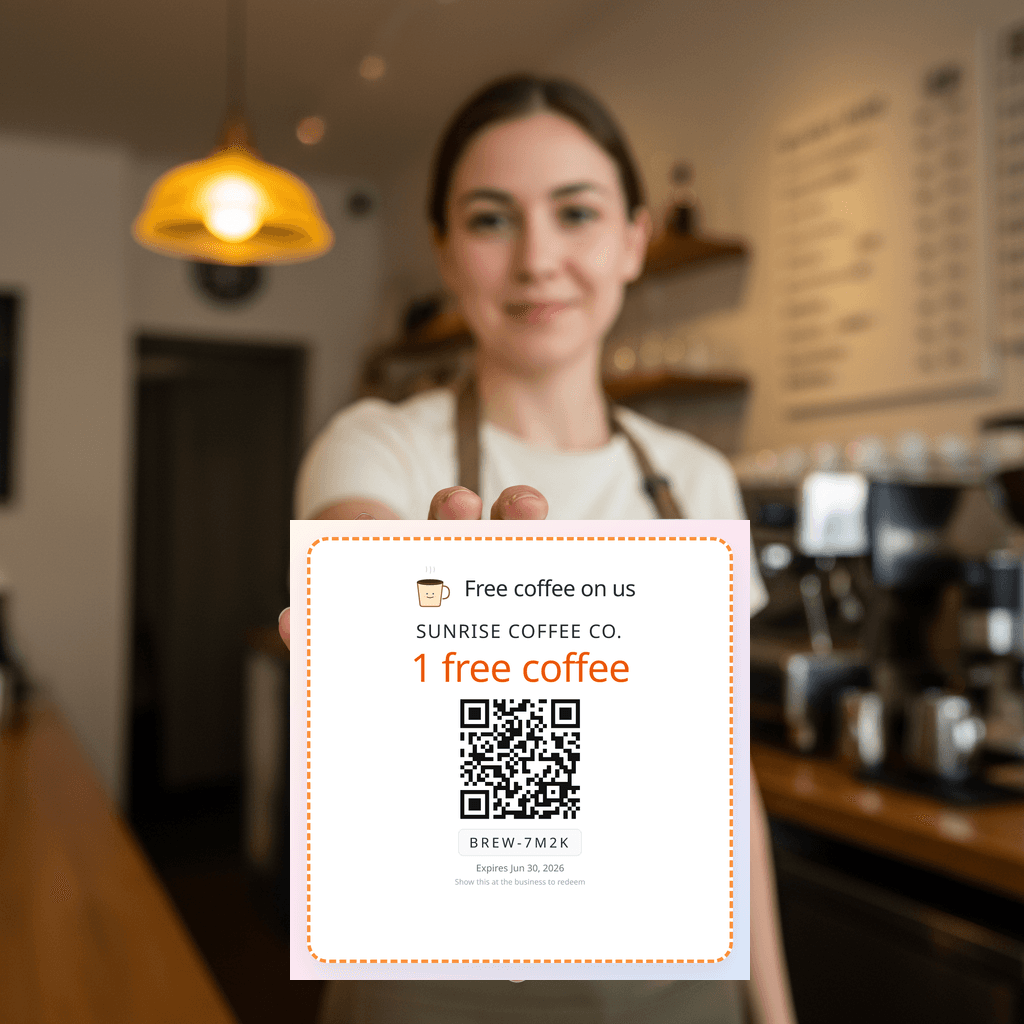
Single-use QR coupons you hand to a customer after they leave a review, redeem a deal, or come back. Not a flat discount everyone gets — a thank-you only the right person can use.
14-day free trial · No app to install
Why small businesses use this
More repeat visits. More reviews. More revenue.
Bring customers back
A single-use coupon gives people a real reason to walk back in this week. Slow Tuesdays get busier; one-time customers turn into regulars.
More sales per visit
People who redeem a discount almost always buy something on top — and you see exactly which campaign drove which revenue in your dashboard.
Turn discounts into 5-star reviews
After redemption, you politely ask for a Google review. Customers in a good mood after a discount say yes — your rating compounds in the background.
Setup in minutes, not days
Pick the discount, pick a mascot, hit generate. No designer, no print shop middleman. You're handing out coupons the same afternoon.
100 single-use coupons / month on Essentials, 500 on Growth · Cancel anytime
Use cases
Six ways small businesses run QR coupons
Every offer is single-use, time-bound, and tracked. Pick one to start — most owners layer two or three within the first month.
Review thank-you
Hand a single-use coupon to every customer who leaves a Google review. Compliant with Google policy because the discount is given regardless of rating — and customers come back twice as often.
Best for: any local business already collecting reviews
Slow-day filler
Print 100 stickers for "Free side with any entrée — Tuesdays only." Hand them out on busy nights. Your peak revenue stays protected; your trough fills with diners self-selecting into the slow shift.
Best for: restaurants, salons, cafés, gyms
New menu / launch
Underwrite the first 200 trials of a new dish, treatment, or product with a 50%-off single-use coupon. After that, the new item lives or dies on its own merits — and reviewers mention it by name.
Best for: restaurants, salons, retail, services
Win-back lapsed customers
Send a unique coupon over WhatsApp, email or SMS to anyone who hasn't been back in 90 days. "Coffee on us, anytime in the next 30 days" lands in a way "we miss you" emails never do.
Best for: anyone with a customer list
Move surplus stock
Bouquets that won't survive Friday. Pastries at 4 PM. A wine that didn't sell. Single-use coupons clear surplus invisibly — your full-price customers never see the discount, your inventory still moves.
Best for: florists, bakeries, restaurants, retail
Loyalty without the punch card
"Your fifth coffee's on us." Birthday week coupons. Referral stickers your regulars pass to friends. Loyalty mechanics that don't need a download or a wallet card.
Best for: cafés, salons, restaurants, gyms
No designer, no print shop — coupons in your hand the same afternoon
Compliant with Google's review policy
Google's policy forbids offering rewards in exchange for reviews, or making rewards conditional on a positive star count. ReviewQR coupons give the customer the discount first, regardless of whether they review. After redemption you can ask for a review — that's allowed. The coupon flow is clean: customer redeems, then optionally reviews. No gating, no conditioning.
Pricing
Try everything free for 14 days
Then Essentials at $10/month or Growth at $25/month. Every plan includes the full Customer Growth System: the Google review QR code, your logo on every sticker, and scan analytics. Card required, cancel anytime.
Card required · Cancel anytime · Includes scan analytics
FAQ
Frequently asked questions
What is a QR coupon and how does it work?
A QR coupon is a single-use discount code printed (or sent digitally) as a QR sticker. The customer shows the sticker on their phone or in print; you scan it with your phone camera, the coupon page opens, you tap Redeem, and the code is marked used. The same code can never be redeemed again — no screenshots, no photocopies, no abuse.
How is this different from a generic QR code coupon generator?
Most QR coupon generators give you a static QR that points to a discount page anyone can use forever. ReviewQR generates a campaign of unique single-use codes — each one redeemable exactly once, with a printable sticker sheet, branded mascot, expiry date, and live redemption tracking. Built for in-person small business use, not for static landing pages.
Are QR coupons compliant with Google review policy?
Yes. The compliant pattern is: customer redeems the coupon first, regardless of whether they review. After redemption you can optionally ask for a review. What's not allowed (and what we don't do) is conditioning the discount on a positive review, also known as review gating. The coupon flow is clean: customer redeems, then optionally reviews.
How many QR coupons can I create?
Essentials includes 100 single-use coupons in any rolling 30-day window and Growth includes 500, split across however many campaigns you want. Most owners run 1–3 campaigns at a time (one per use case) and re-use the same campaign template across months.
Do customers need an app to redeem a QR coupon?
No. Customers don't install anything, sign up, or download a wallet card. They show you the printed sticker, the postcard, or a screenshot. You scan the QR with your phone's camera. That's the entire redemption flow.
Can I print the QR coupon stickers at home?
Yes. The PDF export is a standard A4 sticker sheet (12 stickers per page) that prints cleanly on any home printer or sticker paper. Most owners print at home for small batches and use a local print shop for runs over a few hundred.
Can I send a single QR coupon by WhatsApp or email?
Yes. Each coupon has its own scannable sticker — download a single one as PNG or PDF, share via WhatsApp, copy the link, or email it directly (the sticker is attached automatically). One link per customer, single-use, with redemption tracked in real time.
How much does a ReviewQR plan cost?
Essentials is $10/month with 100 single-use coupons every 30 days. Growth is $25/month with 500. Every plan starts with a 14-day free trial and includes the Google review QR code, your logo on every sticker, and full scan analytics. Card required, cancel anytime.
Ready to print your first QR coupon stickers?
Two minutes from idea to printed sticker sheet. Cancel anytime.