No POS integration · No hardware · No app to install
In-store coupons, no POS integration needed
Give every customer a coupon with its own QR code. Your staff scan it with their phone and tap Redeem. It works once, and you see who redeemed it and when. Your register stays exactly as it is.
14-day free trial on plans, or a one-time pack from $3
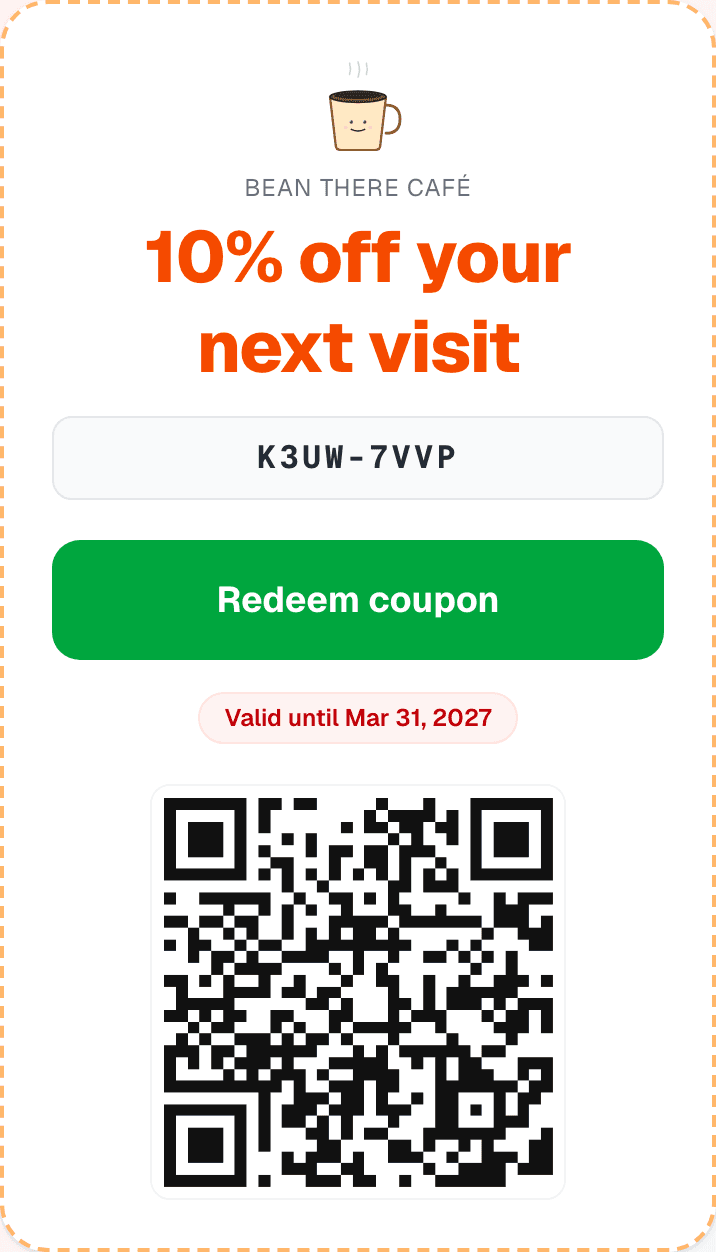
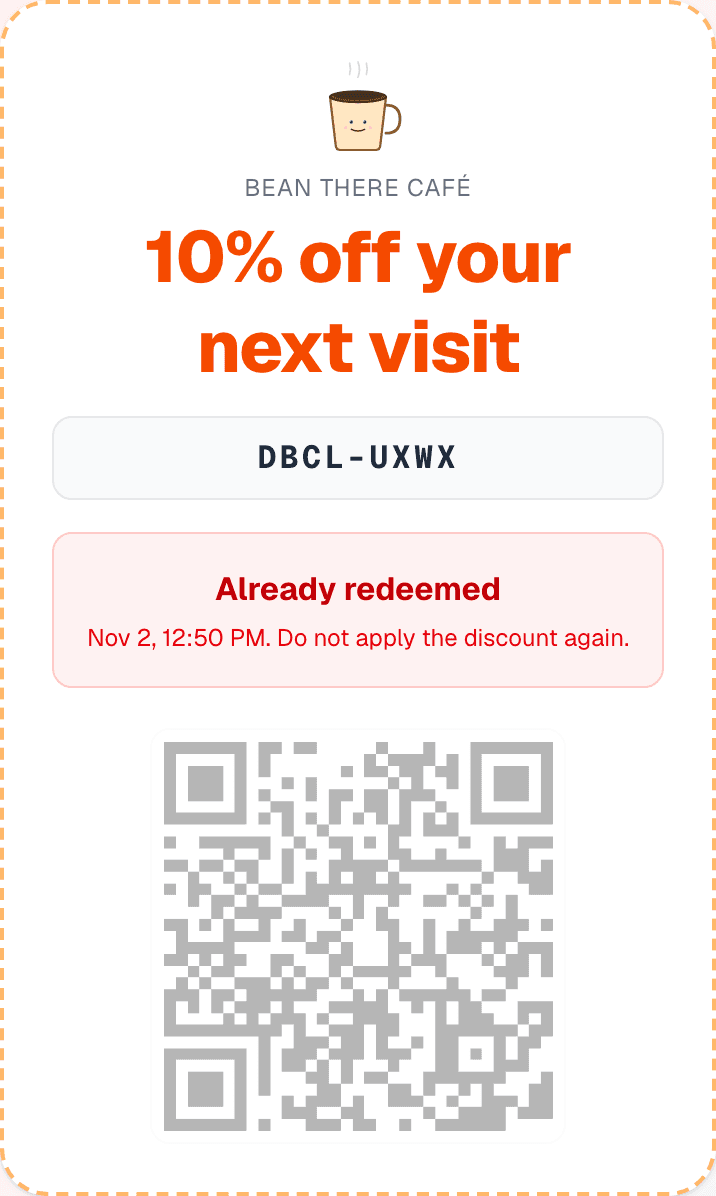
Can you run and track coupons in a store without a POS?
Yes. ReviewQR is coupon software for small businesses that keeps the whole process on a phone. Each coupon has a unique QR code, staff check it at the counter, and the code is marked as used the moment they tap Redeem. Nothing connects to your POS, so it works with any register, including a cash drawer.
- POS integration
- Not needed. It works next to any register or cash drawer.
- Hardware
- Any phone with a camera. No scanner and no tablet to buy.
- App to install
- None, for staff or customers. It runs in the phone's browser.
- Reuse protection
- Each code works once. A second scan shows "Already redeemed" with the date and time.
- Expiry
- You set the date. After it, a scan shows "Expired".
- Staff
- Invite them by email. Each redemption records who scanned it.
- Getting coupons out
- Printed stickers (PDF), WhatsApp, email, a link, or your customer list.
- Reporting
- Redemptions and redemption rate per campaign, plus a report of who scanned what and when. Save it as a PDF.
- Price
- $10/month for 100 coupons, or a one-time pack at $0.12 per coupon (from $3).
- Best for
- Cafés, restaurants, salons, barbers, gyms and shops that hand out offers in person.
At the counter
How redeeming a coupon works
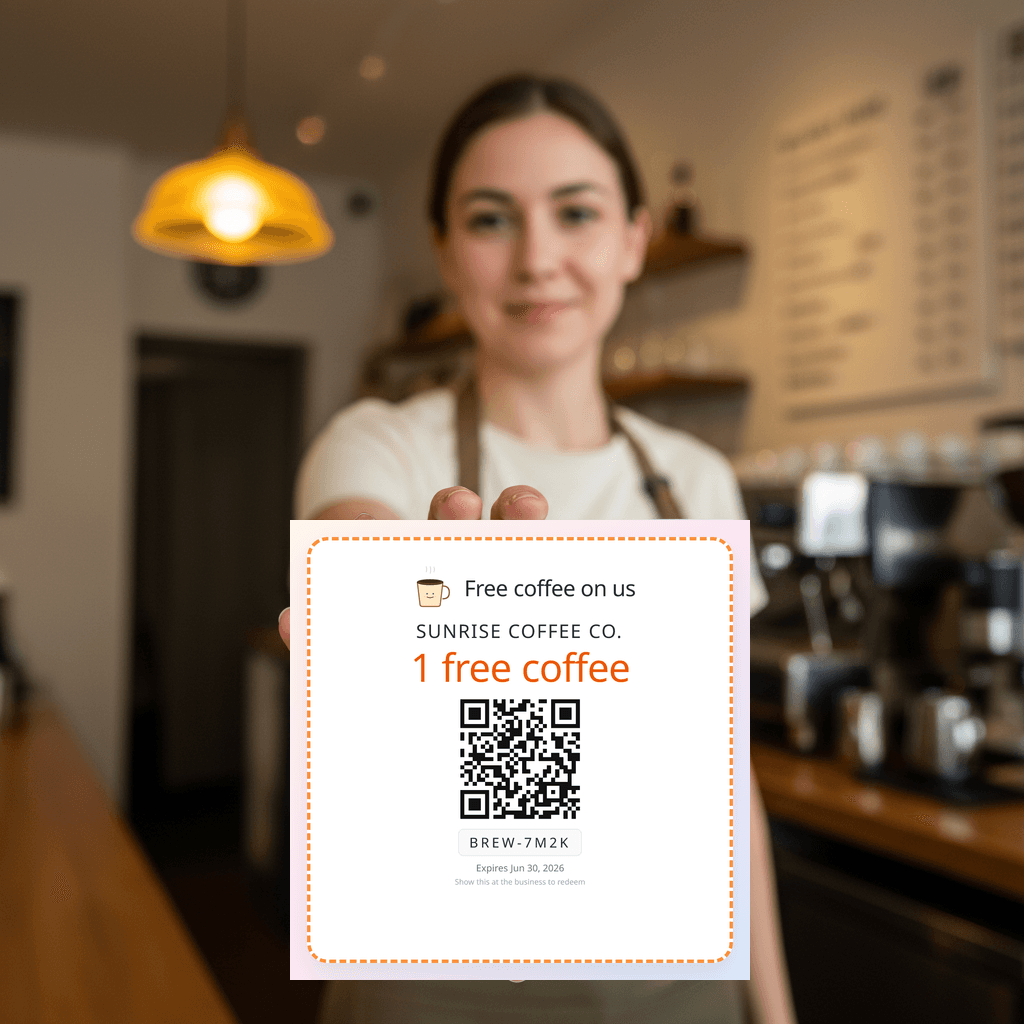
STEP 1
Give the customer a coupon
Hand over a printed sticker at the counter, or send it by WhatsApp or email. Every coupon has its own code.
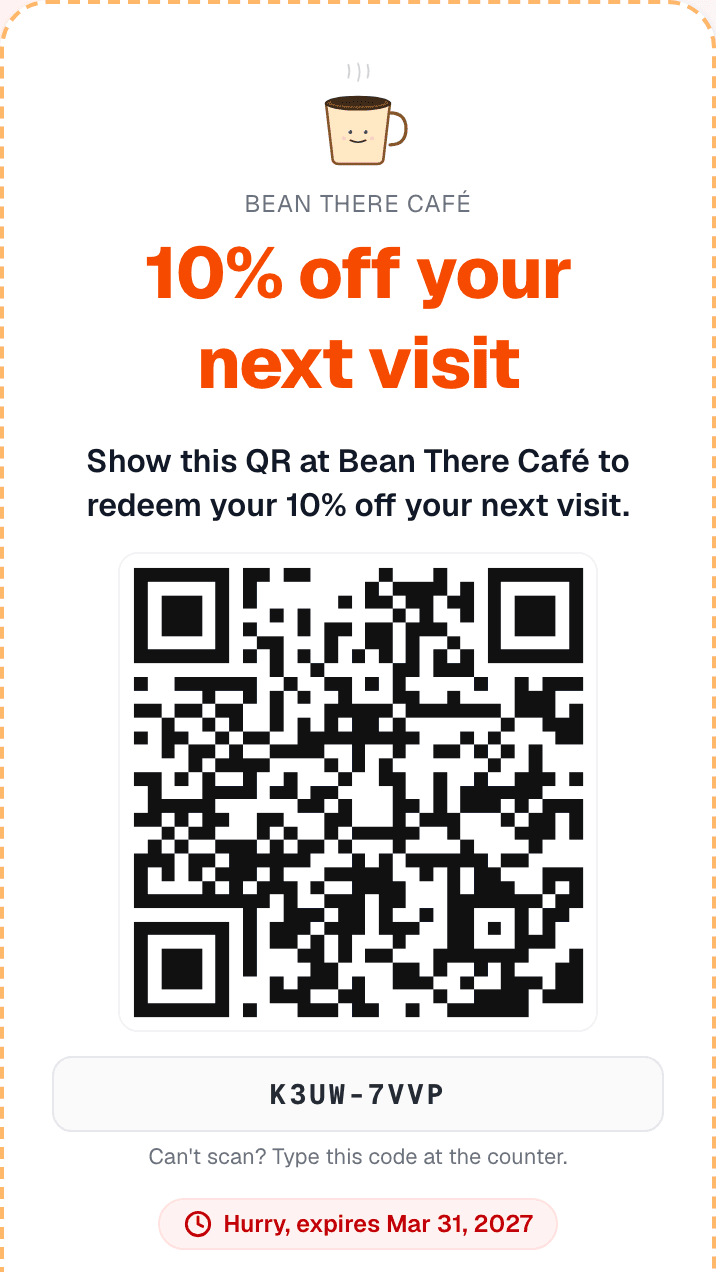
STEP 2
The customer shows it
On paper or on their phone. They don't install anything or sign up.
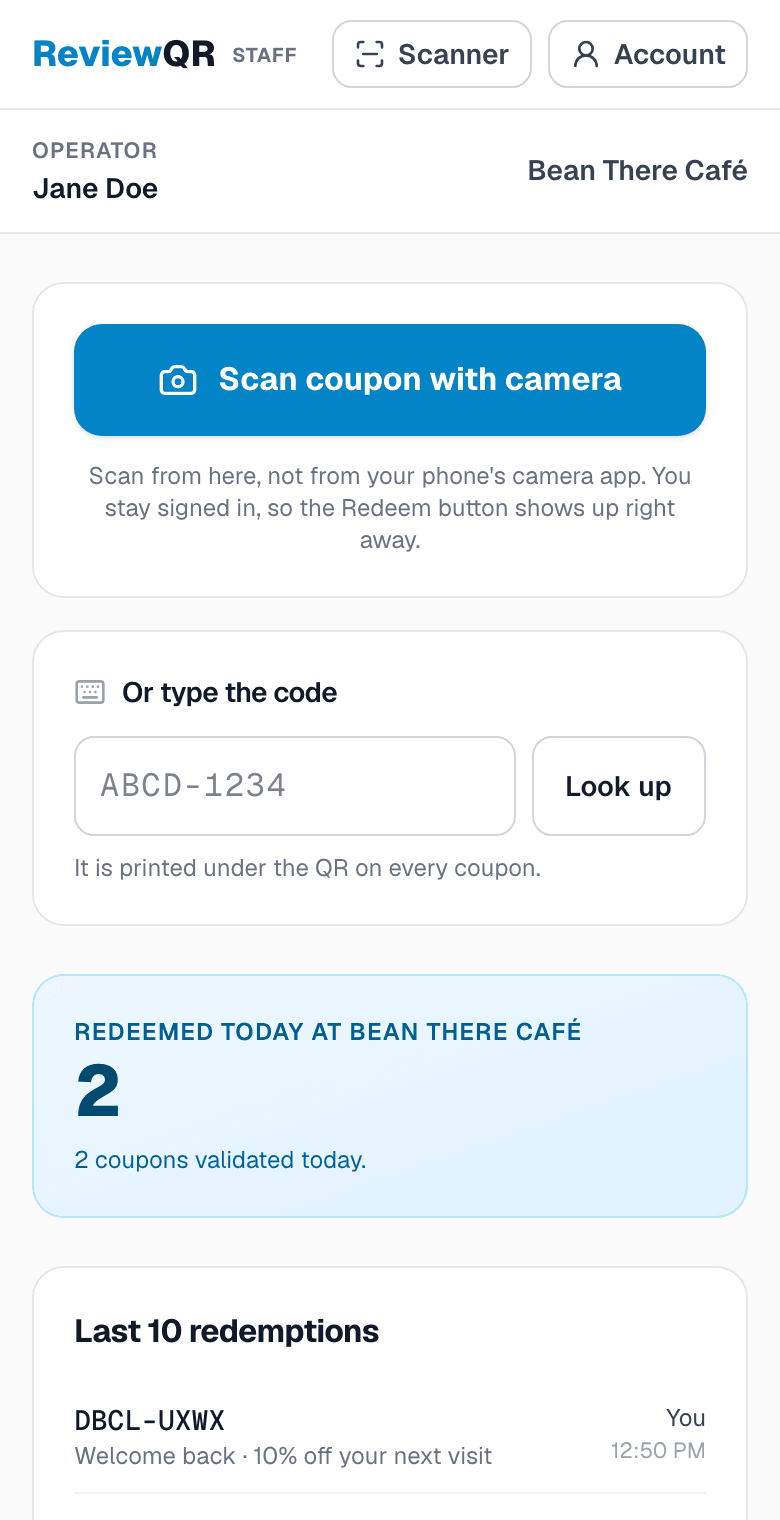
STEP 3
Staff scan it and tap Redeem
From the staff screen, scan the QR or type the code, then tap Redeem. Apply the discount at your register the way you already do.
Tracking
See what came back, without a POS report
What came back
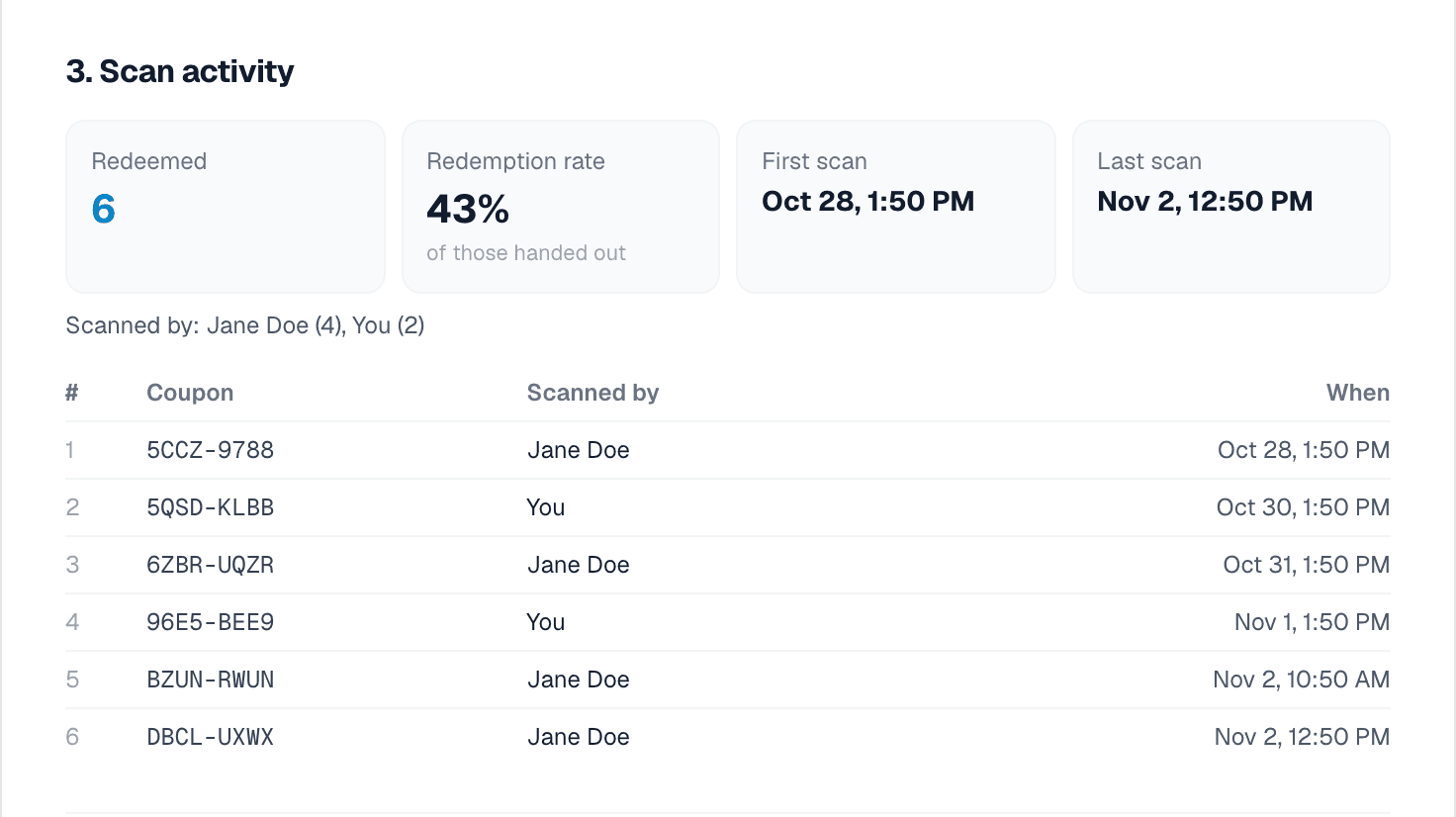
Redeemed count and redemption rate for each campaign, updated with every scan.
Who scanned it, and when
Every redemption is logged with the staff member and the time.
A report you can keep
One page per campaign, ready to show or save as a PDF.
What this does not do
- It does not touch your register. Staff still apply the discount there, and ReviewQR does not know how much the customer spent.
- It does not work offline. Each scan checks the code live, so the phone needs Wi-Fi or mobile data.
Your options
Three ways to run coupons in a store
A notebook or a spreadsheet is fine for a few coupons a week. It gets harder once coupons are photocopied or several people work the counter.
| ReviewQR | Paper and a spreadsheet | Coupons inside your POS | |
|---|---|---|---|
| Stops the same coupon being used twice | Yes, a second scan is refused | Only if staff check the list | Only if your POS supports it |
| Who redeemed it and when | Logged automatically | Only if staff write it down | Depends on your POS |
| Needs a POS | No | No | Yes, sometimes with a paid add-on |
| Hardware | Any phone | Pen and paper | Your POS terminals |
| Price | From $10/month, or a pack from $3 | The cost of printing | Depends on your POS |
Who it is for
A first offer for your type of business
Cafés and bakeries
$2 off your next coffee, valid 14 days
Coupons for coffee shops →Restaurants
10% off your next dinner, valid 30 days
Coupons for restaurants →Salons and barbers
$5 off your next cut, valid 6 weeks
Coupons for salons and spas →Shops
15% off your next purchase, valid 30 days
More coupon ideas →
Pricing
What it costs
Applies to the two plans. Packs are always paid once.
One-time pack
Exactly the coupons one campaign needs, paid once.
$0.12/ coupon
Any amount from 25 to 500, from $3.
- Unused coupons never expire
- Your logo on every coupon sticker
- Live coupon redemption tracking
- Nothing renews, no card kept on file
- Not included: Google review QR code
- Not included: Scan analytics
$0.12 per coupon. Paid once, nothing renews.
Essentials
For one shop bringing customers back every month.
$10/ month
Billed monthly
100 coupons every month · $0.10 each
- Google review QR codes for every location
- Your logo on every coupon sticker and review card
- Live coupon redemption tracking
- Scan tracking, daily trends and conversion rate
- Weekly email digest and new-review alerts
Then $10/month. Card required, cancel anytime.
Growth
For busy shops and agencies running coupons at volume.
$25/ month
Billed monthly
500 coupons every month · $0.05 each
- Everything in Essentials, plus:
- White label: no ReviewQR watermark on your coupons
- Coupon API to validate and redeem from your own app or POS
- Priority email support
Then $25/month. Card required, cancel anytime.
Not sure which fits your business? Talk to Radu, the founder, for 15 minutes. Calls are in English.
FAQ
Questions about in-store coupons
Can I track coupon redemptions without a POS system?
Yes. Each coupon has a unique QR code. When staff scan it and tap Redeem, ReviewQR records the time and the staff member. You see the count for each campaign and can save a report as a PDF.
Do I need to connect ReviewQR to my POS?
No. It runs on a phone next to your register, so it works alongside Square, Toast, Clover, any other POS, or a plain cash drawer.
Does the discount go through the register automatically?
No. ReviewQR tells your staff the coupon is valid and marks it as used. They then apply the discount at the register, like any other discount.
How do I stop customers from using the same coupon twice?
Give every customer a different code instead of one shared code. With ReviewQR each code works once: a second scan, a screenshot or a photocopy shows "Already redeemed" with the date and time.
What do my staff need?
A phone with a camera and an internet connection. You invite them by email from your Team page. They sign in on their phone and get a screen with the scanner and the latest redemptions, without access to your campaigns or billing. If a code won't scan, they can type it.
Do customers need an app?
No. They show a printed coupon or open the link on their phone. They don't install anything or create an account.
Does it work without internet?
No. Each scan checks the code live, which is what stops it being used twice, so the phone needs Wi-Fi or mobile data.
Can I connect it to my own system later?
Yes. The Growth plan includes a coupon API, so your own app or POS can validate and redeem codes. Nothing else on this page needs it.
How much does it cost?
Essentials is $10/month for 100 coupons and Growth is $25/month for 500. Both start with a 14-day free trial, card required. If you prefer no subscription, a one-time pack costs $0.12 per coupon, with a minimum of 25 coupons ($3).
Is this for online stores?
No. It is built for coupons redeemed in person. If you only sell online, the discount codes in your store platform are a better fit.
Design your coupon first
You only choose a plan or a pack when it is ready to print.
Design your first coupon