How to Respond to Google Reviews (Templates for 5, 3 and 1 Star)
How to respond to Google reviews as a business owner: where the reply button is, copy-paste templates for 5-star, 3-star and 1-star reviews, how to respond to negative reviews without making it worse, and the reply that quietly earns your next review.

How to Respond to Google Reviews (Templates for 5, 3 and 1 Star)
It is Sunday evening and a dental clinic manager finally opens the Business Profile after a busy week. Six new reviews. Four are five stars and say things like "Dr. Ana was so gentle." One is three stars: "Good work, but I waited 40 minutes." One is a single star with no text at all. The manager types "Thank you!" under the first five-star review, stares at the three-star one for a full minute, and closes the tab. The one-star stays unanswered for a month.
That is how most small businesses handle reviews: a burst of gratitude when there is time, silence when it gets uncomfortable. The trouble is that the silent ones are the replies that matter most, and the person they matter to is not the reviewer.
This guide covers where the reply button lives, a template for every star rating, how to respond to negative reviews without making them worse, and one line in your positive replies that quietly brings in the next review.
The Next-Customer Rule
Every reply has two readers. The first is the person who wrote the review. The second is everyone who opens your profile after them: the family choosing a dentist, the tourist choosing lunch, the driver choosing a mechanic on the way home. The first reader sees your reply once. The second reader is a new person every day, for years.
The Next-Customer Rule: write every reply for the stranger who reads it next month, not for the person who wrote the review.
It changes almost every decision you make in a reply:
- On a one-star review, you are not trying to win the argument. You are showing the next customer how you behave when something goes wrong. Calm and specific beats right.
- On a five-star review, you are not saying thank you for the sake of it. You are confirming the thing the next customer wants to hear (Ana is gentle, the wait is short, the fries are hot).
- On a three-star review, you are proving the problem is known and being fixed, which is often more convincing than another five stars.
Where the reply button is
You need to be signed in with the Google account that owns or manages the Business Profile. Menu names shift a little between versions, but the path stays the same.
- 1
Open your Business Profile
On a computer or a phone browser, search your exact business name on Google while signed in as the owner. The management panel appears at the top of the results. In the Google Maps app, tap your profile picture and choose your Business Profile.
- 2
Go to Reviews
Click or tap "Read reviews" (or the Reviews tab). Sort by Newest so the reviews waiting for a reply are on top.
- 3
Click Reply under the review
Each review has a Reply button. Unanswered reviews are easy to spot: they have no "Response from the owner" block underneath.
- 4
Write, then post
Type the reply and post it. It appears under the review with your business name, and the reviewer is usually notified. Google may take a short while to show it publicly.
- 5
Edit or delete later if you need to
The same menu lets you edit or delete your reply. Editing is worth it when the customer updates their review after you fixed the problem: thank them for the update.
Turn on review notifications for your Business Profile (in the profile settings, under notifications) so a new review reaches your phone the day it is posted. Most replies that go wrong were written late at night, weeks after the review, in a hurry.
The four-part reply that works for any rating
Before the templates, here is the skeleton under all of them. If you remember this, you will never need a template again.
- Thank. By first name if they gave one. Even on a one-star review.
- Name the specific thing. The dish, the stylist, the wait, the price. This proves a human read it.
- Say what happens next. For praise: "we'll tell Sam." For a complaint: "we've changed how we book Saturdays."
- Give a door. For happy customers: a reason to come back. For unhappy ones: a direct phone number or email.
The length test
Two to four sentences. If your reply is longer than the review, you are defending yourself, and the next customer can tell. If it is one word ("Thanks!"), it reads like nobody cared enough to read the review.
Replies to 5-star reviews: templates
Five-star replies are where most owners either paste the same line forty times or skip them entirely. Neither helps. Rotate between a few shapes like these and fill in the specific detail every time.
Template 1: the specific thank-you
Thanks, Maria! Ana will be glad to hear the cleaning didn't hurt a bit. See you at your six-month check-up.
Template 2: the detail confirmation
Thank you, James. The brisket is smoked for 14 hours, so we're happy it showed. Next time ask for the burnt ends: they come out on Fridays.
Template 3: the short one (for reviews with no text)
Thanks for the five stars, Leo. Glad we got it right, see you next time.
Template 4: the team shout-out
Thank you! We passed your note to Tom, who did your brakes. He's framing it.
Notice what is missing: no "we strive to provide excellent service", no city and service keywords stuffed into the sentence, no "please tell your friends". Short, specific, human.
Do not offer a discount, coupon or freebie in your reply as a thank-you for the review. Rewarding reviews breaks Google's rules, and a reply is public, so it is evidence. You can (and should) give regulars a reason to return, but hand that out at the counter to everyone, separately from reviews.
Replies to 3-star and 4-star reviews: templates
Mixed reviews are the most useful reviews you will ever get, because they usually name one fixable thing. They are also the ones future customers read most closely, since they feel honest.
Template 5: the "you're right, here's the fix"
Thanks, Priya, and sorry about the 40-minute wait. Saturday mornings were overbooked; we've added a second hygienist from this week. Hope your next visit runs on time.
Template 6: the "we'll pass it on"
Thanks for the honest review, Dan. Glad you liked the cut. You're right that the music was loud; we've turned it down for the afternoon slots.
Template 7: the "help us understand"
Thanks for stopping by, Alex. Four stars is great, but we'd love to know what would have made it five. If you have a minute, reply here or email hello@yourshop.com.
The rule for mixed reviews: agree with the part that is true, quickly, and say what changed. Do not explain why the wait happened ("we had two sick staff and a delivery issue"). The next customer does not care why; they care whether it will happen to them.
How to respond to negative reviews
This is the part people search for at midnight. Negative reviews hurt, and the first draft of a reply is almost always a mistake. Here is the order that works.
- 1
Wait an hour, not a week
Write the angry draft somewhere else, then delete it. Reply within 24 hours, but not within the first five minutes. The goal is calm and quick, in that order.
- 2
Check your records
Look up the booking, the receipt, the order. Knowing what actually happened stops you from apologising for something that did not happen, or arguing about something that did.
- 3
Reply briefly and publicly
Thank them, acknowledge the specific problem, say what you are doing about it, and give a direct phone number or email. Three or four sentences. No details about their visit they did not share themselves.
- 4
Fix it offline
If they get in touch, solve the actual problem: a remake, a refund, a second appointment, an apology from the person involved. With no strings attached.
- 5
Update your reply when it is resolved
If the customer updates their review, edit your reply to thank them. If they do not, add one line saying the issue was resolved directly. Both show the next customer how the story ended.
Template 8: the one-star with a real complaint
Hi Sarah, I'm sorry. Cold food and a 50-minute wait is not what we want for anyone. We've changed how we stagger delivery orders on Friday nights. I'd like to make this right: please call me directly on 555-0142. Marco, owner.
Template 9: the one-star that is unfair but real
Thanks for the feedback, Ben. We do charge for the second colour session, and we should have explained that clearly before starting. We've added it to our price list at the desk. If you'd like to talk it through, I'm at 555-0199.
Signing with a first name and a role ("Marco, owner") does a lot of work. It turns "the business" into a person who is accountable, which is exactly what the next customer is looking for.
Do This
- ✓Reply within 24 hours, calmly, in three or four sentences
- ✓Acknowledge the specific problem and say what changed
- ✓Give a direct phone number or email and sign with your name
- ✓Fix it offline with no conditions attached
Avoid This
- ✕Arguing about details or calling the reviewer a liar
- ✕Sharing anything private about their visit, booking or health
- ✕Offering a refund or discount in exchange for changing the review
- ✕Copy-pasting the same apology under every bad review
Health, legal and financial businesses need extra care: do not confirm that the reviewer was ever a patient or client, even if they say so themselves. A safe reply talks about your general practice ("we always explain costs before treatment") and moves the conversation to a private channel.
Fake reviews and empty one-stars
Not every negative review comes from a customer. Two cases need a slightly different reply.
A review you are fairly sure is fake (no matching record, an account with no history, part of a burst of one-stars): reply anyway, because the next customer will see it whether or not Google removes it later. Keep it neutral.
Template 10: the review you cannot find
Hi, we can't find a visit matching your description, and we'd like to understand what happened. Please contact us at hello@yourshop.com with the date so we can look into it.
Then report it through your Business Profile with the closest reason (Spam or Fake, or Conflict of interest if it is a competitor or ex-employee). If Google removes the review, your reply disappears with it. The full process, including the one appeal you get, is in how to delete a Google review.
A one-star with no text: there is nothing to address, so do not invent a complaint. A short, polite line shows the next customer you read everything.
Sorry we missed the mark. If you'd like to tell us what happened, we're at 555-0142.
What one unanswered 1-star costs
Owners often treat a negative review as a feeling. It is easier to deal with as a number.
Take a café with a 4.3 average across 60 reviews: 258 stars in total. One new one-star review makes it 259 stars across 61 reviews, a 4.25 average, which Google may now show as 4.2.
The working: (259 + 5n) / (61 + n) = 4.3 gives n = 4.7, so five perfect reviews. Real reviews are not all five stars; at a 4.8 average, (259 + 4.8n) / (61 + n) = 4.3 gives n = 6.6, so seven. To run your own numbers, the Google review calculator pulls your current rating and review count and tells you how many five-star reviews you need to reach the next rating.
Here is what the math does not show. The reply changes how the one-star reads, but it does not change the average. Only new reviews do that. So the full answer to a bad review has two halves: a calm reply today, and a steady flow of new reviews from the customers who were happy and never thought to say so.
These are planning numbers, not promises. Google rounds the displayed rating and weighs reviews in its own way. The direction does not change: replies protect your reputation with the next customer; new reviews protect your average.
The reply that earns the next review
Here is the part most guides skip. Owners who reply to reviews are, by definition, the owners who care about reviews. And those are usually the owners with the fewest reviews, because they rely on customers remembering to leave one.
Your replies are the most-read text on your profile after the reviews themselves. A good five-star reply reminds the next reader that leaving a review here is normal, noticed and answered. That helps. But the bigger lever is not online at all. It is the moment at the counter, the chair or the delivery door when the customer is happiest, which is exactly when they are least likely to go home, find your profile and type.
Bad version at the counter: "If you enjoyed it, please search for us on Google and leave a review!"
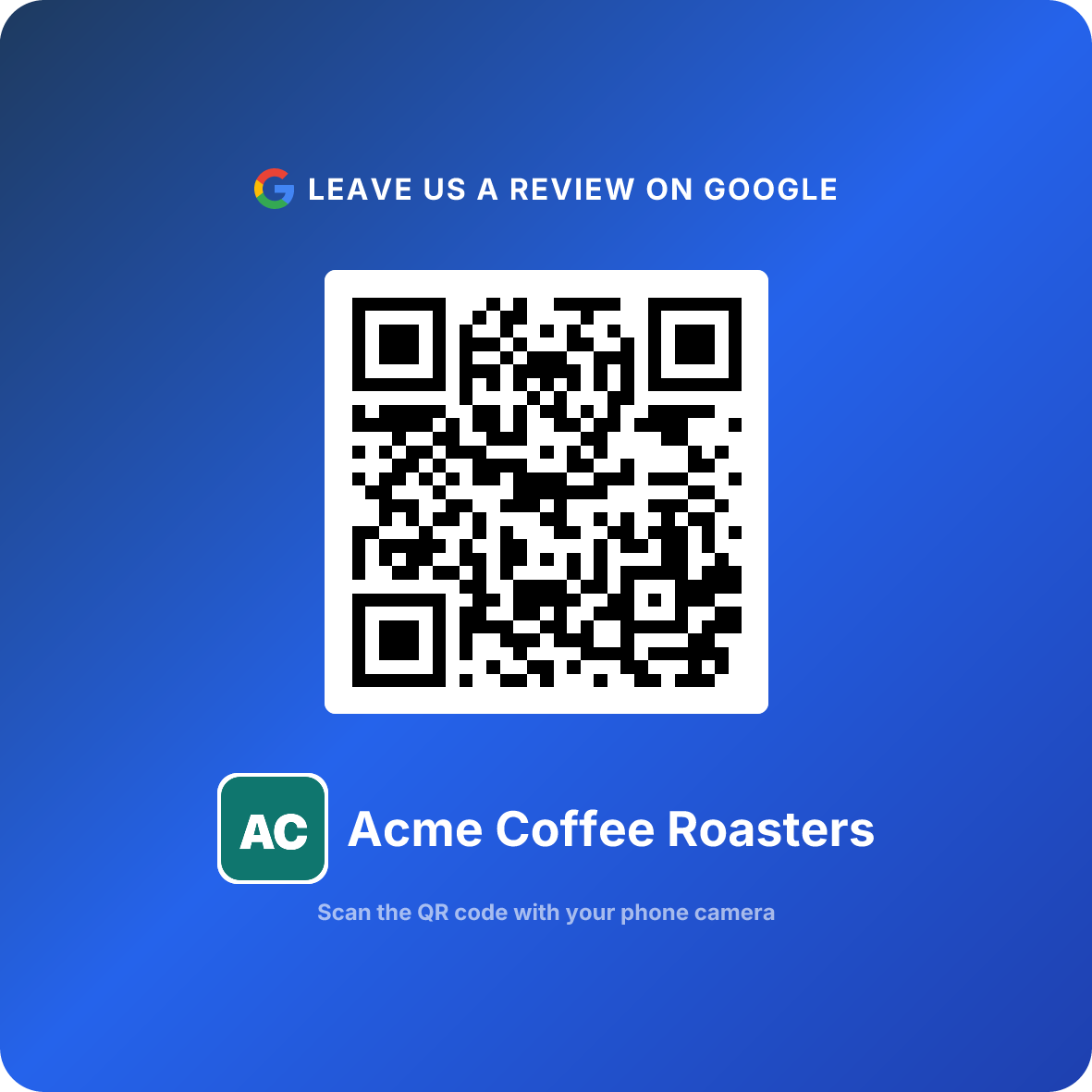
Good version: "Got ten seconds? Scanning this helps us a lot."
Eight words, and the QR code does the rest. One scan opens your review box directly, no searching, no tabs. Every happy customer who scans adds a review, and every review you add is one more five-star reply you get to write, read by the next customer.
The loop
Happy customer scans the code at the counter, leaves a review, gets a specific reply, and the next customer reads both. Replies make reviews worth reading; the QR code makes sure there are enough of them to read.
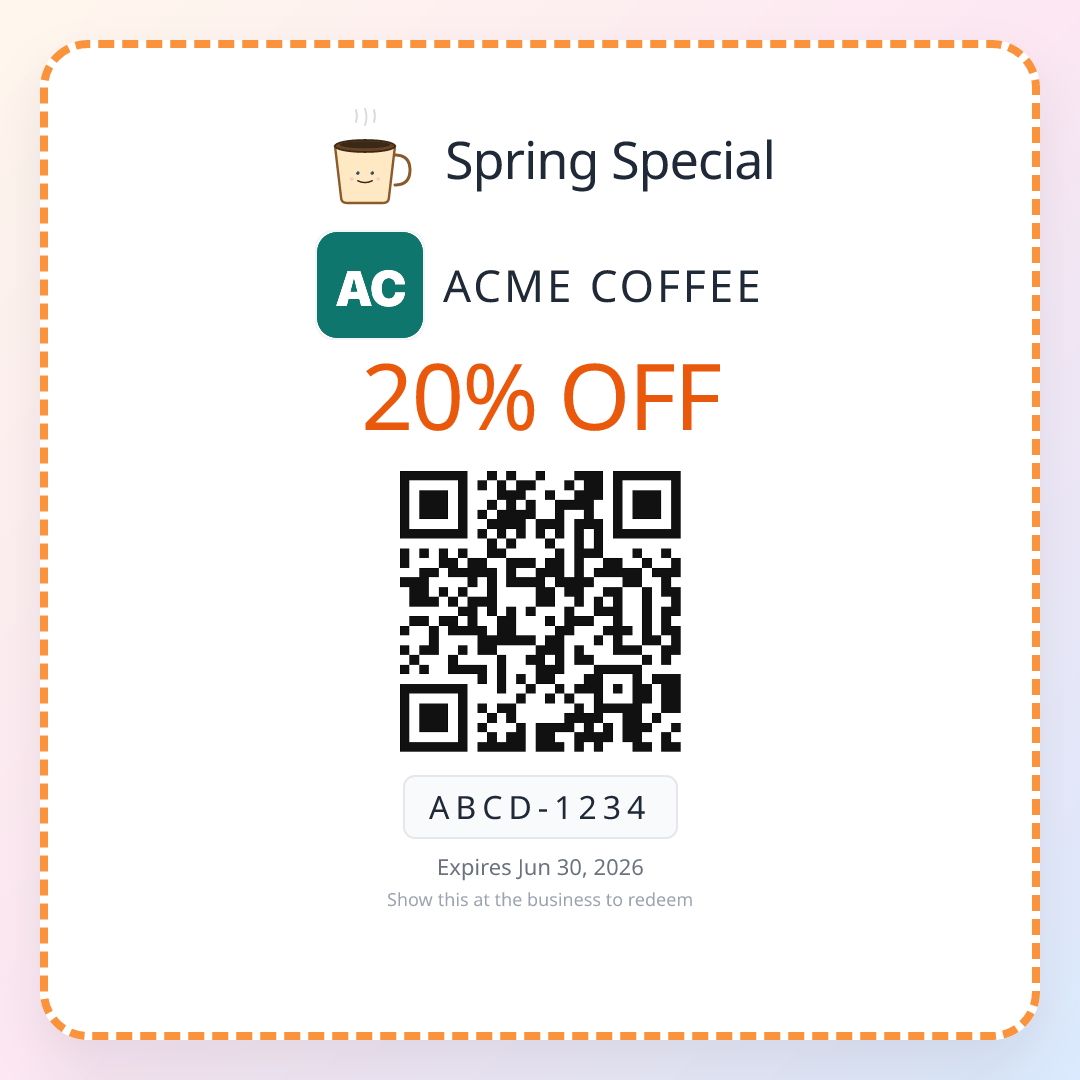
ReviewQR finds your direct Google review link, turns it into a print-ready QR code, and counts every scan so you can see which spot on the counter actually works. Every plan includes the Google review QR code and starts with a 14-day free trial (card required, cancel anytime): Essentials is $10 a month and Growth is $25 a month. Both also include single-use QR coupons, which you hand to every customer for a second visit, separately from any review.
Get your Google review QR code
Eight reply mistakes
1. Replying only to the good ones. A profile full of warm replies under five-star reviews and silence under the one-stars tells the next customer exactly which reviews you would rather they skipped.
2. Pasting the same line everywhere. "Thank you for your kind words!" forty times in a row looks automated, because it is.
3. Arguing with the facts. "You were only waiting 25 minutes, not 40" is technically correct and loses every reader.
4. Revealing private details. What they ordered, when they booked, what treatment they had. If they did not say it in the review, you do not say it in the reply.
5. Rewarding the review. A discount, freebie or coupon offered in exchange for a review (or for changing one) breaks Google's rules, and in the US the FTC's rule on consumer reviews covers it too.
6. Keyword stuffing. "Thanks for visiting the best dentist in Austin for teeth whitening in Austin!" reads as spam to people and does not help your ranking.
7. Replying weeks late. A reply to a month-old complaint still helps the next customer, but it is too late to fix anything for the person who wrote it.
8. Letting replies replace asking. Answering every review beautifully does not bring in new ones. The customers who loved you today will not review unless the asking is easy.
Related reading
For the moment before the review exists, how to ask for Google reviews has copy-paste scripts for the counter, text and email. If a review breaks Google's rules, how to delete a Google review walks through reporting and the appeal. If a customer asks how to change what they wrote, send them how to leave a Google review, which covers editing on every device. For something to hand across the counter, see Google review cards with a QR code and where to put your Google review QR code. The direct review link on its own is one search away in the free Google review link generator.
Once reviews are flowing, the next job is turning those customers into regulars, which is what QR coupons for small business covers.
Start your 14-day free ReviewQR trial. Review QR code plus coupons, included.
Frequently asked questions
How do I respond to a Google review as a business owner?
Sign in with the Google account that manages your Business Profile, search your business name on Google (or open Google Maps and go to your Business Profile), open Reviews, and click or tap Reply under the review. Write your answer and post it. The reply appears under the review with your business name, and the reviewer is usually notified. You can edit or delete your reply later from the same place.
Should I respond to every Google review?
Yes, if you can keep up. Reply to every negative and mixed review within a day or two, and to positive reviews as often as you can, even with two sentences. Replies are read by future customers more than by the reviewer, so a profile where the owner answers looks cared for. If you get dozens of reviews a week, prioritise anything under four stars and any review that mentions a specific person or problem.
How do you respond to a negative Google review?
Reply within a day, keep it short, and stay calm. Thank them, acknowledge the specific problem without arguing about details, say what you are doing about it, and offer a direct way to reach you (a phone number or email, not a request to "DM us"). Do not share private details about the customer, do not accuse them of lying, and do not offer anything in exchange for changing the review. Fix the problem offline first.
What should I write in reply to a 5-star review?
Two or three sentences: thank them by first name if they used one, mention the specific thing they praised (the dish, the stylist, the fast repair), and give a reason to come back. Avoid one generic line pasted under every review, because future customers notice. Do not stuff keywords like your city and service into every reply; it reads as spam.
Can I respond to a Google review that is fake?
Yes, and you should, while you also report it. Keep the reply short and neutral: say you cannot find a record of their visit and invite them to contact you directly with the details. Do not call the reviewer a liar or name a competitor publicly. Report the review through your Business Profile with the Spam or Fake reason; if Google removes it, your reply goes with it.
How long do I have to respond to a Google review?
There is no deadline: you can reply to a review months or years later. But speed matters for negative reviews. A reply within 24 hours shows the reviewer and every later reader that someone is paying attention, and it gives you the best chance of fixing the problem while the customer still wants it fixed.
Keep reading
How to Ask for Google Reviews: 10 Copy-Paste Scripts That Don't Feel Pushy
How to ask customers and clients for Google reviews in person, by text, by email, and on a receipt. 10 word-for-word scripts, the right moment to ask, what Google allows, and how to make the ask without the awkwardness.
guidesReview Us QR Code: Create, Display, and Track
Create a 'Review Us' QR code, design professional signage, choose high-converting placements, and track results with scan analytics. Free guide with real data.
guidesQR Code for Reviews: 2-Minute Setup + 3-5x More in 90 Days
How local businesses use QR codes to collect 3-5x more Google reviews in 90 days. Simple generator, real placement tactics, scan-rate data, and what to put on the card.