Do QR Codes Expire? Static vs Dynamic, and What to Check Before You Print
A QR code itself never expires. The address behind it can. How to tell a static QR code from a dynamic one in ten seconds, the four things that really stop a code working, how long a printed code lasts, and what happens to a ReviewQR code after a trial ends.
Do QR Codes Expire? Static vs Dynamic, and What to Check Before You Print
The printer needs the file by Thursday. Five hundred table cards, a nice matte stock, your logo at the top and a Google review QR code in the middle. You made the code last night on the first free generator that came up, it scanned fine on your phone, and the proof looks great.
Then you remember the restaurant down the street. Last spring every table there had a menu QR code, and one evening a friend scanned it and got a grey page that said "This QR code has been deactivated. Upgrade your plan to reactivate." Nobody at the restaurant knew until a customer showed them. Two hundred laminated menus went in the bin.
So before you send the file, you type the question into Google: do QR codes expire? About 1,300 other people a month ask the same thing. The honest answer is shorter than most of the pages that rank for it, and it comes down to one question you can check in ten seconds.
The Middleman Rule
A QR code is a picture of some text. Most of the time the text is a web address. Your phone camera reads the black and white squares, turns them back into that address, and opens it. Nothing about that picture has a date in it, a battery, or a licence. The squares you print today will decode to the exact same text in twenty years.
So a QR code, as such, cannot expire. What can stop working is the address it contains, and that depends on who owns the address. That is the Middleman Rule:
- If the address in the pattern is yours (your website, your Google review link), there is no middleman. The code works for as long as that page works.
- If the address in the pattern belongs to the company that made the code, there is a middleman. Every scan goes to their server first, and their server forwards it to you. The code works for as long as they keep forwarding.
The first kind is called a static QR code. The second is a dynamic QR code. Every "QR code expired" story you have ever heard is a dynamic code whose middleman stopped forwarding: a trial ran out, a card payment failed, a plan was downgraded, or the company closed. The paper was fine the whole time.
The middleman is not the villain, though. That middle step is the only way a code can count its scans or change destination after it is printed. The question is never "static or dynamic, which is better?" It is "do I trust this middleman for as long as this print will exist?"
Static vs dynamic QR code, side by side
Here is the whole difference in one table. Read it with one thing in mind: which column would you rather have printed on 500 cards that will sit on tables for the next three years?
| Static QR code | Dynamic QR code | |
|---|---|---|
| What the pattern holds | Your real address | A short address on the generator's server |
| Can it expire? | No, only if your own page disappears | Yes, if the generator stops forwarding |
| Can you change where it points after printing? | No, you reprint | Yes, from the generator's dashboard |
| Does it count scans? | No | Yes, by day, device, often by city |
| Typical cost | Free from almost any generator | Free trial, then a monthly plan |
| Size of the pattern | Bigger for long addresses | Small and clean, because the address is short |
| Best for | Anything printed in bulk and left alone for years | Codes you want to measure, edit, or switch off on purpose |
A Google review link is a long address, so a static code made from it has a dense pattern. That is fine at counter stand size and a little tight on a business card. A dynamic code from a review tool has a short address and a cleaner pattern, which scans faster at small sizes. That is a real advantage, but only if the middleman will still be there.
What a dead code costs a small business
The reprint is the cheap part. Five hundred matte table cards cost somewhere around $40 to $60. A counter stand is $15. Even a run of window stickers is under $100.
The expensive part is the weeks between the code dying and someone noticing. Nobody tells you a QR code is broken. Customers scan, see an error page, shrug, and put the phone away. Take a cafe with a review code on its tables that normally brings in about 12 Google reviews a month. If the code goes dead and it takes six weeks to find out, that is roughly 18 reviews that never happened, and reviews are the one thing you cannot buy back later. Add a coupon on the same card that would have brought 10 customers back a month at an $8 ticket, and six dead weeks also cost about $120 in return visits.
The asymmetry
Choosing a code that cannot die costs nothing or a few dollars. A code that dies quietly costs a $50 reprint, about 18 lost reviews over six weeks, and every return visit the card was meant to bring. Checking the address before you print takes ten seconds. That is the cheapest insurance in your marketing budget, at well over 100 to 1.
Four things that really stop a QR code working
When a code "expires", it is almost always one of these four. Only the first one is what people mean by expiry, and it is the only one a static code is immune to.
1. The middleman stops forwarding. A dynamic code from a generator with a free trial goes dead or shows an upgrade page when the trial ends. Some generators also cap free scans per month. This is by far the most common cause, and it is the one behind the 'deactivated' pages on menus and flyers. Read the generator's pricing page for the words "trial", "scan limit" and "deactivated" before you print anything in volume.
2. The destination moves. A static code pointing at yoursite.com/spring-menu breaks the day you rename that page. A static code pointing at a Google review link breaks if the Business Profile is removed or merged. The code is fine, the page behind it is gone. Point long-lived codes at addresses that will not change: your home page, a stable review link, a page you promise yourself never to rename.
3. The company behind the code closes. Smaller QR startups get bought, shut down or change their terms. A dynamic code from a company that no longer exists stops working for good, with no one to pay to bring it back. A static code does not care.
4. The print is damaged, too small or too shiny. A sticker bleached by the sun, a code printed 1 cm wide on a card read from arm's length, glossy lamination that throws the ceiling lights back into the camera. Nothing expired; the phone just cannot read it. More on this below.
Do This
- ✓Scan your code and read the address in the preview before printing
- ✓Point long-lived codes at addresses you will never rename
- ✓Read the generator's terms for trial, scan limit and deactivation
- ✓Print at least 2 cm wide for close range, matte, dark on light
- ✓Scan the first printed proof, not just the file on your screen
Avoid This
- ✕Print 500 cards from a free trial you have not read the terms of
- ✕Point a table card at a seasonal page you will delete in March
- ✕Laminate in gloss and hang it under a spotlight
- ✕Assume a code works because it worked last month
- ✕Put a code that gives money off on a card with no expiry date
Three codes that are supposed to expire
Everything so far treats expiry as a failure. For some codes it is the whole point. A review QR on a counter should live forever. A code that carries money off should not.
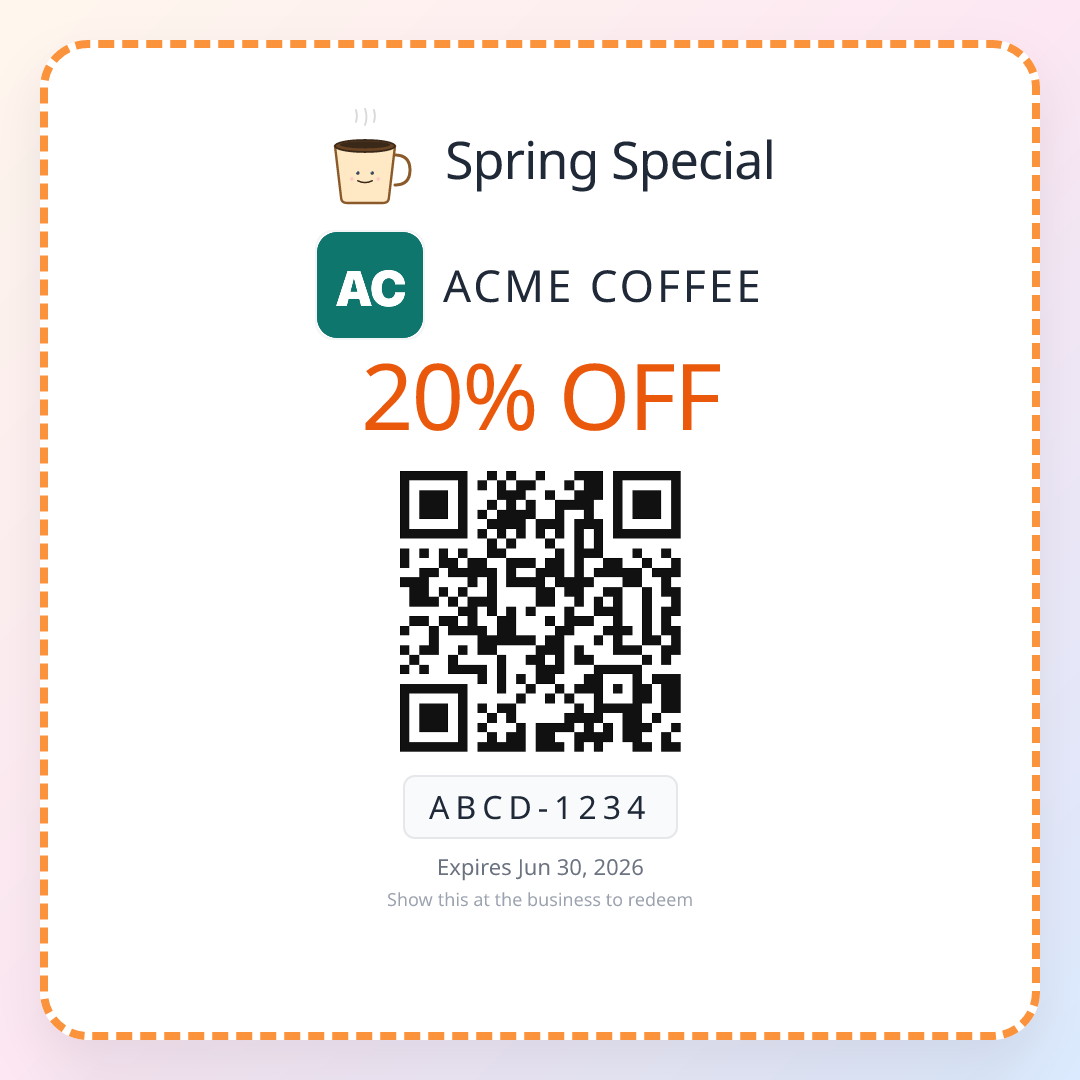
1. The single-use coupon. Each customer gets their own QR coupon, say $3 off the next visit within 30 days. The page behind the code shows the offer and the valid-until date. The moment staff redeem it, the same code shows "Already redeemed" with the date and time, to anyone who scans it. After the end date it shows "Expired". A photo of the coupon forwarded to a group chat gets the next person nothing, which is exactly why you can afford to be generous with the amount. This is the dynamic code doing what only a dynamic code can do.
2. The dated promotion. A Small Business Saturday offer, a 'first week open' discount, a rainy-day deal. Printed once on a flyer or a window poster, valid until a fixed date. Here expiry protects you: the flyer that is still on someone's fridge in June does not oblige you to honour a November discount, because the code says so itself.
3. The event pass. A workshop ticket, a tasting night, a class pass with five uses. The code works on the night and stops after. Again, a dynamic code that counts uses is the right tool.
The pattern across all three: expiry belongs to codes that give something away, and never to codes that ask for something. A review request, a menu, your Wi-Fi password and your website should be printed on codes that cannot die. A discount should always carry a date and, ideally, a single use. If you want to see how single-use QR coupons work end to end, the QR coupons page walks through it.
How long a printed QR code lasts
The digital side is settled by the Middleman Rule. The physical side is about ink, light and size, and it is where "how long do QR codes last" really gets answered.
QR codes have built-in error correction. When a code is created it is given one of four levels: L, M, Q or H, which can rebuild roughly 7%, 15%, 25% and 30% of a damaged pattern. A coffee ring, a scratch or a corner torn off a card usually still scans at M or above. For anything that lives outside or gets handled a lot, ask your generator for Q or H. The pattern gets a little denser, so print it a little bigger.
- 1
Indoor counter stand or table card: years
Out of direct sun and wiped occasionally, a matte printed code on a stand or a table card stays readable for as long as the card is not physically worn through. The usual reason to replace these is a coffee stain over a third of the pattern, not fading. Keep a spare in the drawer.
- 2
Window sticker facing the street: 1 to 3 years
Direct sun bleaches black ink toward grey, and contrast is what the camera needs. Standard vinyl stickers in a south-facing window fade noticeably within a year or two. Ask the printer for UV-resistant ink or a matte UV laminate, and check the sticker with your own phone every few months.
- 3
Business card or receipt insert: as long as they keep it
Paper in a wallet or a bag survives fine. Thermal receipt paper is the exception: a QR printed on a thermal receipt can fade in months, especially if it sits in a warm car. If you print review codes on receipts, they are for scanning today, not next year.
- 4
Outdoor sign, A-board or vehicle: 6 months to 2 years
Rain, sun and grime all work against contrast. Print large (the code should be about a tenth as wide as the distance it will be scanned from), use error correction H, and mount it out of direct rain where you can. Replace it when your own phone needs more than a second to read it.
- 5
Glossy lamination anywhere: shorter than you think
Gloss does not shorten the life of the code; it shortens the life of every scan. Overhead lights reflect straight back into the camera and a two-second scan becomes ten seconds, which most people abandon. Matte lamination protects the print without the glare.
What happens to a ReviewQR code
Since this question reaches us from people about to print a Google review code, here is exactly what happens to ours, checked against how the product works today.
A ReviewQR review code is dynamic: the pattern holds a short reviewqr.app address, and every scan is forwarded to your Google review form. That middle step is what lets the dashboard count scans by day and hour. It is also the step people worry about, so these are the rules:
- After a 14-day free trial ends, or after you cancel a plan, the review code keeps sending people to Google. Canceling ends the coupons and the statistics, not the code on your counter.
- You can buy the review QR once, for $4.89, with no subscription. It works for good. It does not include scan statistics.
- The only case where a review code pauses is if you delete your ReviewQR account. Anyone who scans it then sees a short page explaining that the code is paused, and it starts working again if you reactivate the account.
- Coupon QR codes are different on purpose. Each one is single-use and carries the end date you set, so it shows "Already redeemed" after one use and "Expired" after the date, as described above.
Five checks before you print 500
This is the ten-minute routine to run before any QR code goes to a printer. It applies to codes from any generator, not just ours.
- 1
1. Scan the file and read the address
Open your phone camera, point it at the code on your screen, and look at the address in the little preview before you tap it. Your own domain or a google.com address means static: nothing can switch it off. Anyone else's domain means dynamic: go to check 2.
- 2
2. Read the generator's terms for three words
Search their pricing and terms pages for 'trial', 'scan limit' and 'deactivate'. You want a plain sentence about what happens to printed codes when you stop paying. If you cannot find one in two minutes, assume the code dies with the trial and either pay for a plan you will keep or make a static code instead.
- 3
3. Check the destination will not move
Open the page the code lands on and ask whether it will exist in three years under the same address. A review form link from your Google Business Profile, your home page, a permanent menu page: yes. A seasonal promotion page or a link with 'spring-2026' in it: no.
- 4
4. Print one proof at real size and scan it from real distance
Print a single card at actual size, put it where it will live (on the table, on the stand, in the window) and scan it from where a customer stands. It should open in under two seconds. If it struggles, make the code bigger or switch to matte before the full run.
- 5
5. Diary a re-scan in three months
Put a reminder in your calendar to scan the printed code once a quarter. It takes five seconds and is the only way to find out about a dead code before your customers do.
Setting up a review QR that will not die in 6 minutes
If the code you are about to print is a Google review code, this is the fastest way to one that keeps working and that you can measure.
- 1
Search your business (1 minute)
Go to reviewqr.app/free-google-review-qr-code, type your business name and pick it from the Google results. The tool finds your review link, so customers land straight on the star form instead of your profile page.
- 2
Preview the code (30 seconds)
Previewing is free. Scan the preview with your phone to see the review form open.
- 3
Choose how you pay (1 minute)
Buy the review QR once for $4.89 if you only want a code that works for good, or start a 14-day free trial of a plan (card on file, cancel any time) if you also want scan statistics and single-use coupons. Essentials is $10 a month after the trial, Growth is $25.
- 4
Download the print files (30 seconds)
Download the high-resolution files in the print size you need: a sticker, a counter stand or a table card. They scale without blurring.
- 5
Print one proof and scan it in place (2 minutes)
Run check 4 from the list above: real size, real spot, real distance, under two seconds.
- 6
Order the run and set the quarterly reminder (1 minute)
Send the file to the printer, then add the three-month re-scan to your calendar. Done.
Common QR code expiry mistakes
Mistake 1: Printing in bulk from a free trial. The most common way a code dies. The trial lasts 14 days, the table cards last three years. Either read what happens to the code when the trial ends, or use a static code for anything you print in volume.
Mistake 2: Treating "free QR code generator" as "free QR code". Many free generators make dynamic codes by default because that is how they turn you into a subscriber later. The generator is free; the forwarding is not. Scan the result and read the address.
Mistake 3: Pointing a permanent code at a temporary page. The code on your door should go to an address you will never rename. Seasonal offers belong on their own, dated codes.
Mistake 4: Never scanning your own code again. Customers do not report broken QR codes. They give up. A five-second scan every three months is the only alarm you have.
Mistake 5: Giving money off with a code that never expires. A discount QR without an end date and a single use is a permanent liability that circulates in group chats. Coupons should expire; review codes should not.
Mistake 6: Blaming expiry for a print problem. A code that "stopped working" in the window is often just faded, too small or too glossy. Scan it with a second phone in good light before you assume the generator switched it off.
Related reading
- The free Google review QR code guide: the full setup, from finding your review link to printing.
- How to get a QR code for Google reviews: step by step, with every option compared.
- Google review QR code stand, sign, sticker or poster: where to put the code once it is printed, and what size.
- Google review tap card vs QR code: NFC cards next to printed codes, and why taps fail on some phones.
- Single-use coupons: the codes that are meant to stop working, and why that lets you be generous.
- QR coupons for small business: seven ways small businesses use QR coupons.
- Coupon ideas for small business: 23 offers sorted by what they do for you.
- Best QR coupon app for small business: how the options compare.
Frequently asked questions
Do QR codes expire?
The pattern itself never expires. A QR code is just a picture of some text, usually a web address, and a phone reads that text the same way in ten years as it does today. What can stop working is the address. A static QR code holds your real address, for example your Google review link, so it works for as long as that page exists. A dynamic QR code holds a short address owned by the company that made it, which forwards the scan to your page. If that company stops forwarding, because a trial ended, a plan was canceled or the company closed, the printed code stops working even though nothing on the paper changed.
What is the difference between a static and a dynamic QR code?
A static QR code stores your destination directly in its pattern. It cannot be edited, cannot count scans, and cannot expire, because no one sits between the scan and your page. A dynamic QR code stores a short redirect address on the generator's server. That middle step is what lets you change the destination after printing and see how many people scanned, and it is also the only part that can be switched off. To tell which one you have, scan it with your phone camera and read the address in the preview: if it is your own site or a google.com address, it is static; if it is the generator's domain, it is dynamic.
How long do QR codes last?
A static code lasts as long as its destination and the print it is on. A dynamic code lasts as long as the account that forwards it. Physically, an indoor card or a counter stand stays scannable for years. An outdoor sticker in direct sun fades in roughly one to three years unless it is printed with UV resistant ink or laminated with a matte film. QR codes carry built in error correction, so a code with a scratch or a coffee ring usually still scans, and printing at the higher correction levels (Q or H) buys extra tolerance for damage.
Does a Canva QR code expire?
Canva's QR code app, like Adobe Express and QR Code Monkey, writes the link you type straight into the pattern by default, so those codes are static and do not expire. They also do not count scans and cannot be edited after printing. Whatever tool you used, the ten second check is the same: scan the code and read the address in the preview. If it shows your own address, nothing can switch it off. If it shows a short link on someone else's domain, read that company's terms before printing in volume.
Does a ReviewQR Google review QR code expire?
No. A ReviewQR review code sends people to your Google review form through a short reviewqr.app address, which is what lets it count scans, and it keeps sending people to Google after a free trial ends or a plan is canceled. You can also buy the review QR once for $4.89 with no subscription: it works for good, without statistics. The only case where a ReviewQR review code pauses is if you delete your ReviewQR account, and it starts working again if you reactivate it. Plans add scan statistics and single-use QR coupons: Essentials is $10 a month for 100 coupons and Growth is $25 a month for 500, both after a 14 day free trial with a card on file.
Can I make a QR code that expires on purpose?
Yes, and for offers you usually should. A coupon or a ticket is meant to stop working, either on a date or after one use. A single-use QR coupon is a dynamic code by design: each customer gets their own code, the page shows the offer and the expiry date until it is redeemed, and after that it shows "Already redeemed" to whoever scans it next. A photo of it shared in a group chat is worth nothing. The rule of thumb: a code you print once and leave on a counter should never expire, and a code that carries money off should always expire.
Keep reading
Single-Use Coupons: How One-Time Codes Work at the Counter
A single-use coupon works once, for one customer, then shows 'already redeemed'. How one-time coupon codes work, what a shared code really costs, and three ways to use them to bring customers back.
guidesRepeat Customers: What Counts, What They Are Worth, How to Get More
A repeat customer is one who comes back before their return clock runs out. How to work out that clock for your trade, what one repeat customer is worth in a year, how to calculate repeat customer rate, and three offers that bring first-timers back.
guidesHow to Get More Google Reviews: The 7 Moments That Work
How to get more Google reviews for your business without being pushy or breaking the rules: the seven moments when happy customers actually leave one, the direct review link, an eight-word script, the math of a QR code on the counter, and the mistakes that get reviews removed.